Clear banned IPs
To protect your website, Templ automatically bans an IP address after multiple failed SFTP or SSH authentication attempts.
While your IP is banned, you can't reach the website at all - the site appears down from your connection, and SFTP, SSH, and the browser all fail. The site is still online for everyone else; only your banned IP is blocked.
Lift the ban
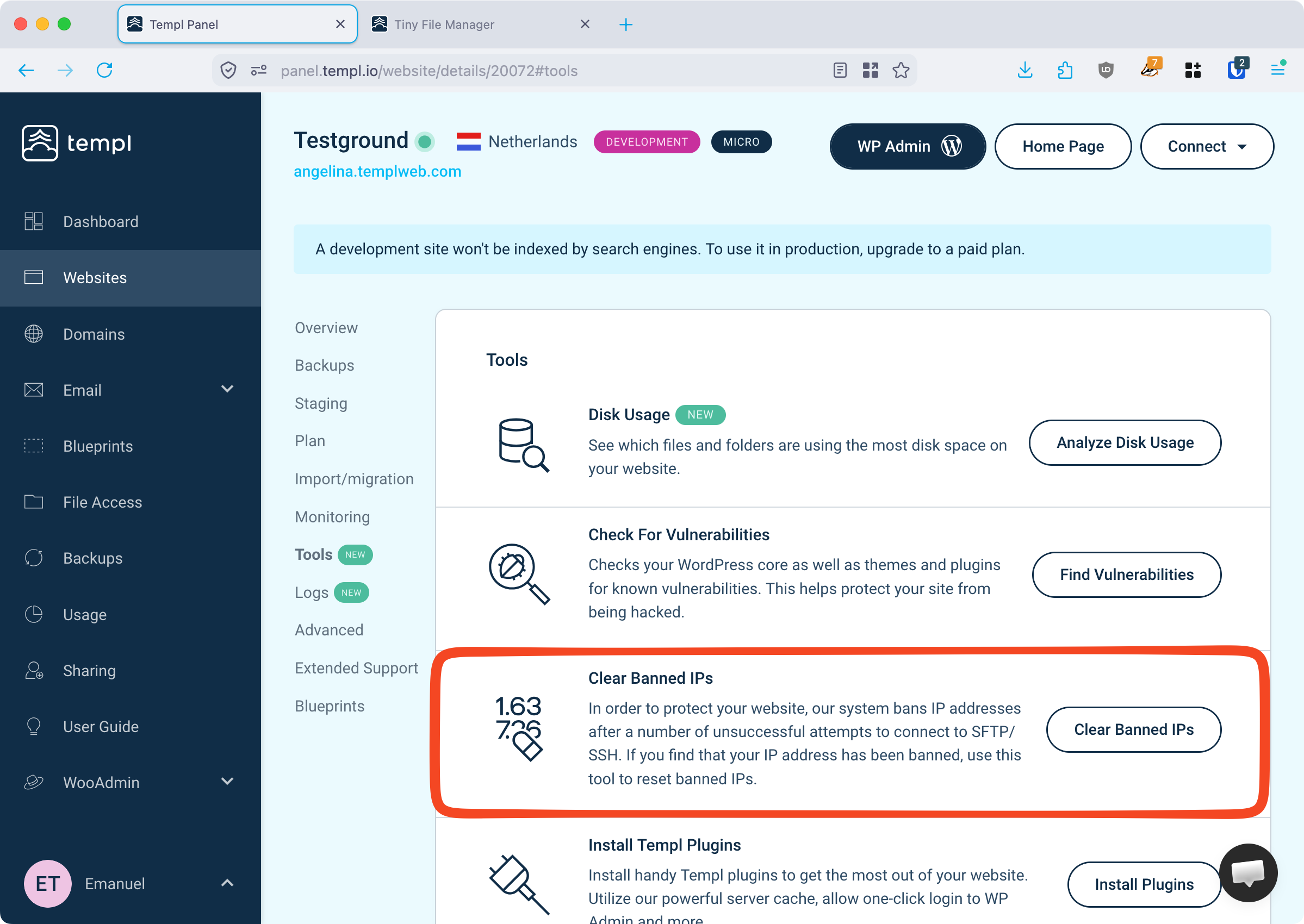
Use the Clear Banned IPs tool in the Templ Panel to remove the ban:
- Open the website in the Templ Panel.
- Go to the Tools menu and open the Clear Banned IPs tool.
- Clear the banned IPs to restore access.
Prevent repeated bans
Before clearing the ban, stop SFTP clients, scripts, or other tools retrying with old credentials. Check colleagues' saved credentials on shared office networks too: one successful login doesn't rule out another device triggering bans from the same public IP.
Update the saved credentials before reconnecting. See Connect with a password or Connect with SSH keys.
If bans recur, contact support with your public IP, the time including time zone, and whether you were using the browser, SFTP, or SSH. A connection failure alone doesn't confirm an IP ban.