Website list
The Websites page in the Templ Panel is the overview of every site on your account. For agencies and anyone running many sites, it is the fastest way to see the state of everything in one place.
Navigate to Websites in the Panel to open it.
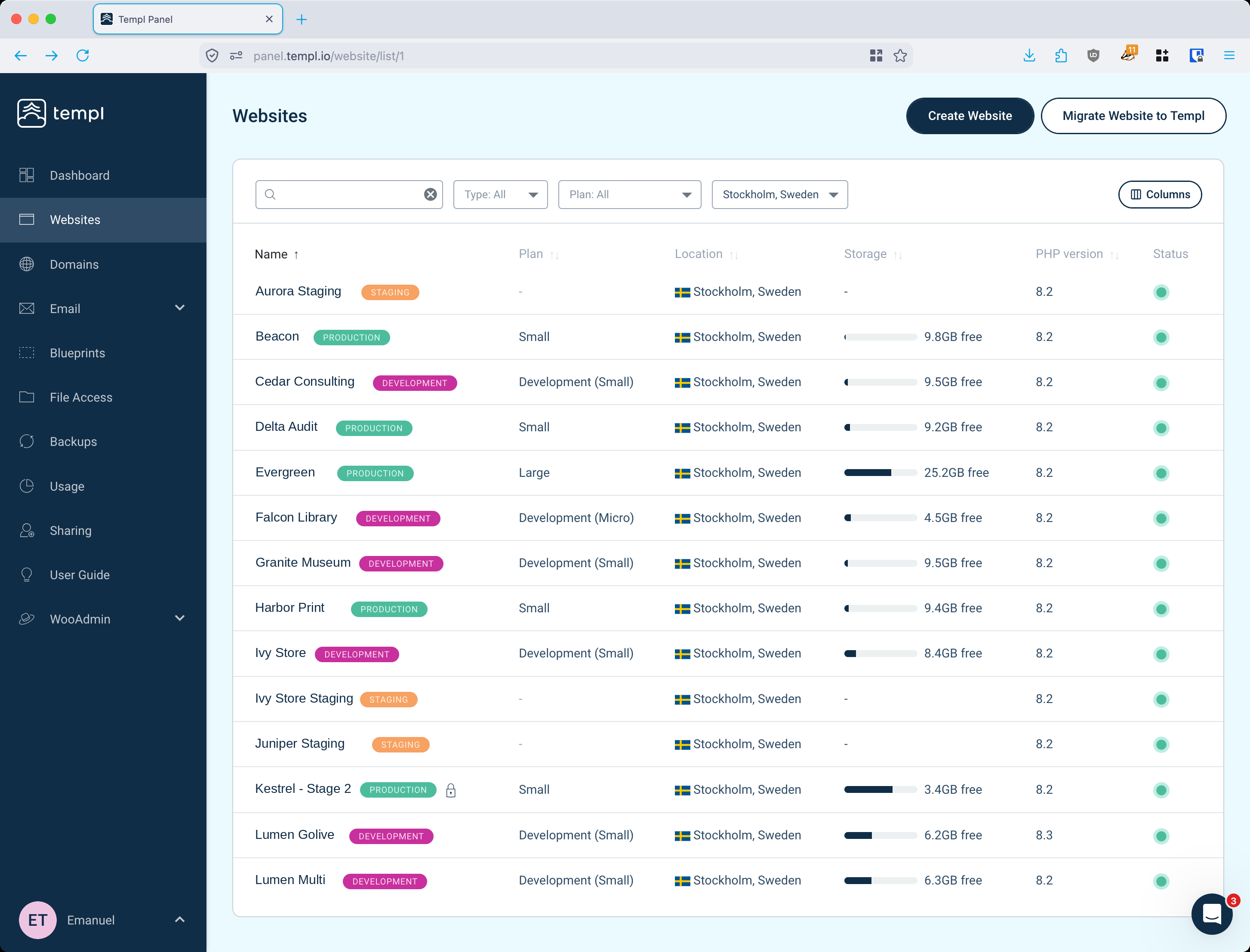
Reading the list
Each row is one website. Next to the name you will see:
- A type badge showing whether the site is a production, staging, or development site.
- A padlock icon when the site is password protected.
Choosing which columns to show
Click Columns to pick which details are shown in the list. The available columns are:
- Name
- Domain
- Plan
- Location
- Disk
- Status
- PHP version
- WP version
- IP address
- Created
Your selection is remembered between visits, so the list always opens with the columns you care about.
Sorting and filtering
Click a column heading to sort the list by that column.
You can also narrow the list down with the filters:
- Name - search for a site by its name or domain.
- Type - show only production, staging, or development sites.
- Plan - show only sites on a particular plan.
- Location - show only sites in a particular hosting location.
Sorting and filtering combine, so you can, for example, list only the production sites in a given location, sorted by disk usage.