Create a website
Creating a new website in the Templ Panel is very simple.
Create the website
Login to your Templ Panel and navigate to the Website list and click the Create button.
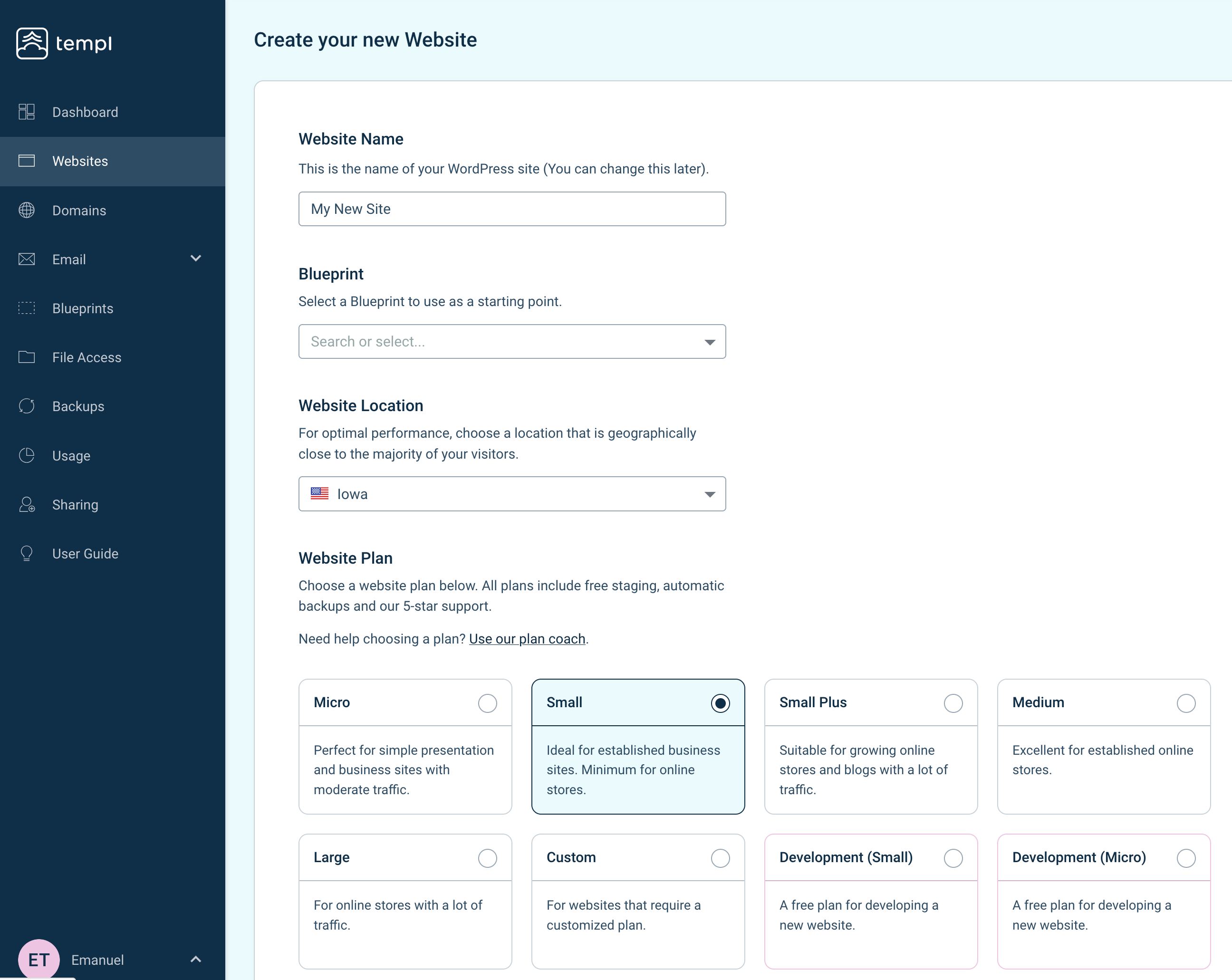
Give your website a name and choose a location where you want your website to be hosted. It's recommended to choose a location that is close to the majority of your visitors. You can choose from locations all over the world.
When you're done, click Continue and wait for your website and its environment to be created, this may take a few minutes.
When the process is done, click the Continue button to be redirected to your website details, it will look similar to this:
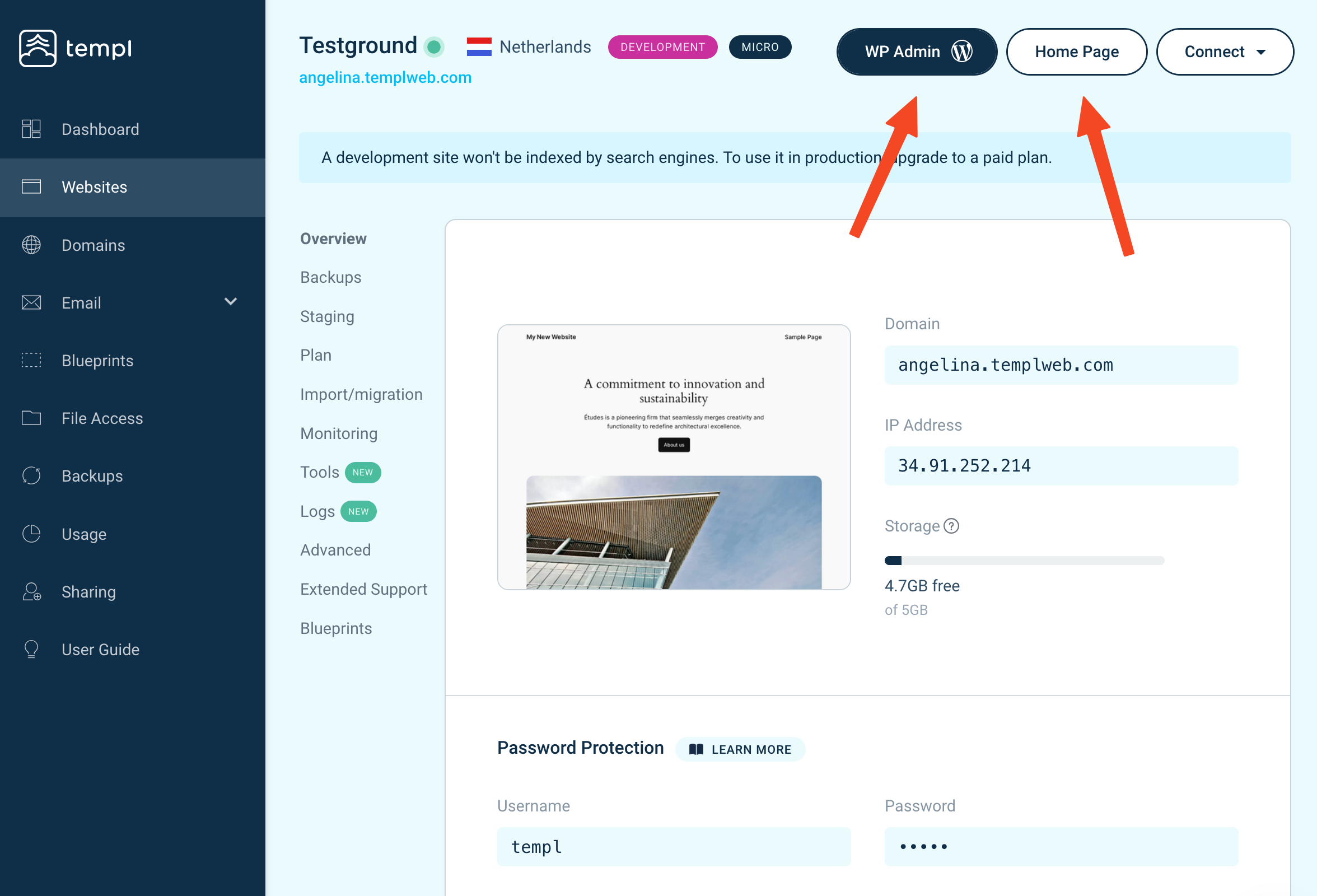
To access your website, click the Home page button, and to access WP Admin click the WP Admin button.
"Temporarily out of server space" message
Occasionally a location is at full capacity when you try to create a website, and the Panel shows:
Temporarily out of server space at this location. Please await assistance.
The servers in your chosen location are full at that moment. We're notified automatically and add capacity by opening a new server or expanding an existing one, after which creation works again in that location.
If it's still blocking you or the site is time-sensitive, contact support and we'll prioritize it.
The initial WP Admin user
Templ automatically creates a WordPress administrator so the one-click WP Admin button works right away. Its username and email are the email of the Templ account the site is created on.
Change it later under Edit Website Details - see changing the login user.
Need help?
We're here to help, please contact support if you need assistance.