Change a website's domain
Changing a website's domain swaps its primary address, for example when you move a site from a temporary Templ address to your real domain, or from one domain to another. Templ runs the database search-replace for you as part of the change.
Change the domain
- Click on Websites in the left menu in the Templ Panel.
- Click on the website that you want to change domain for.
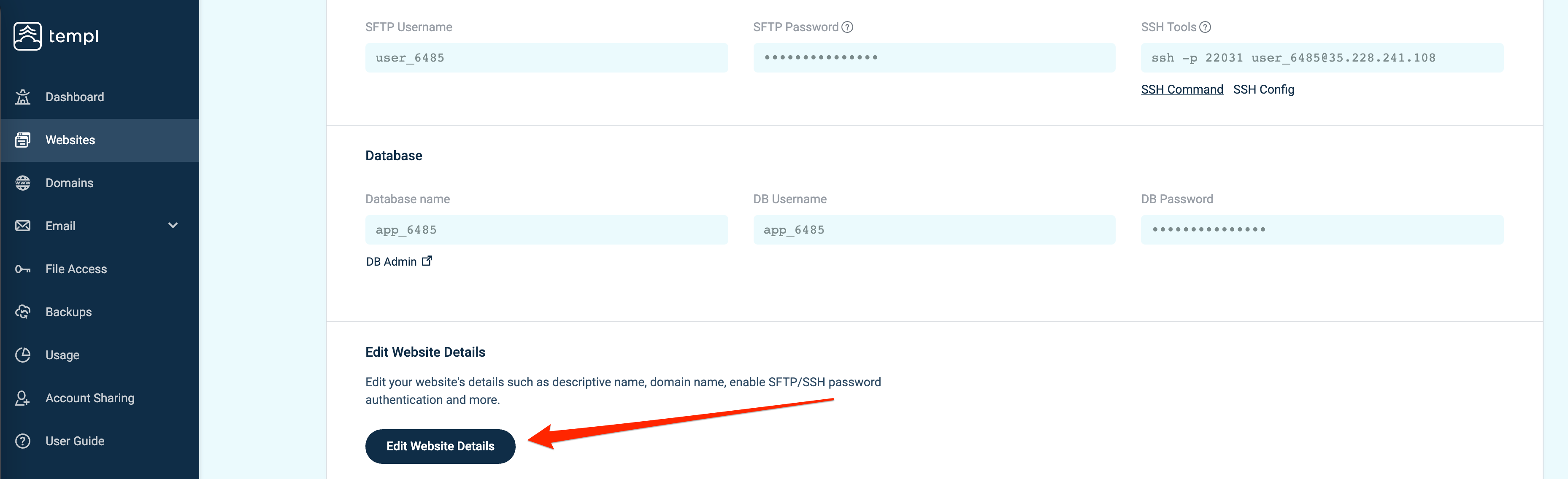
- Click on Edit Website Details.
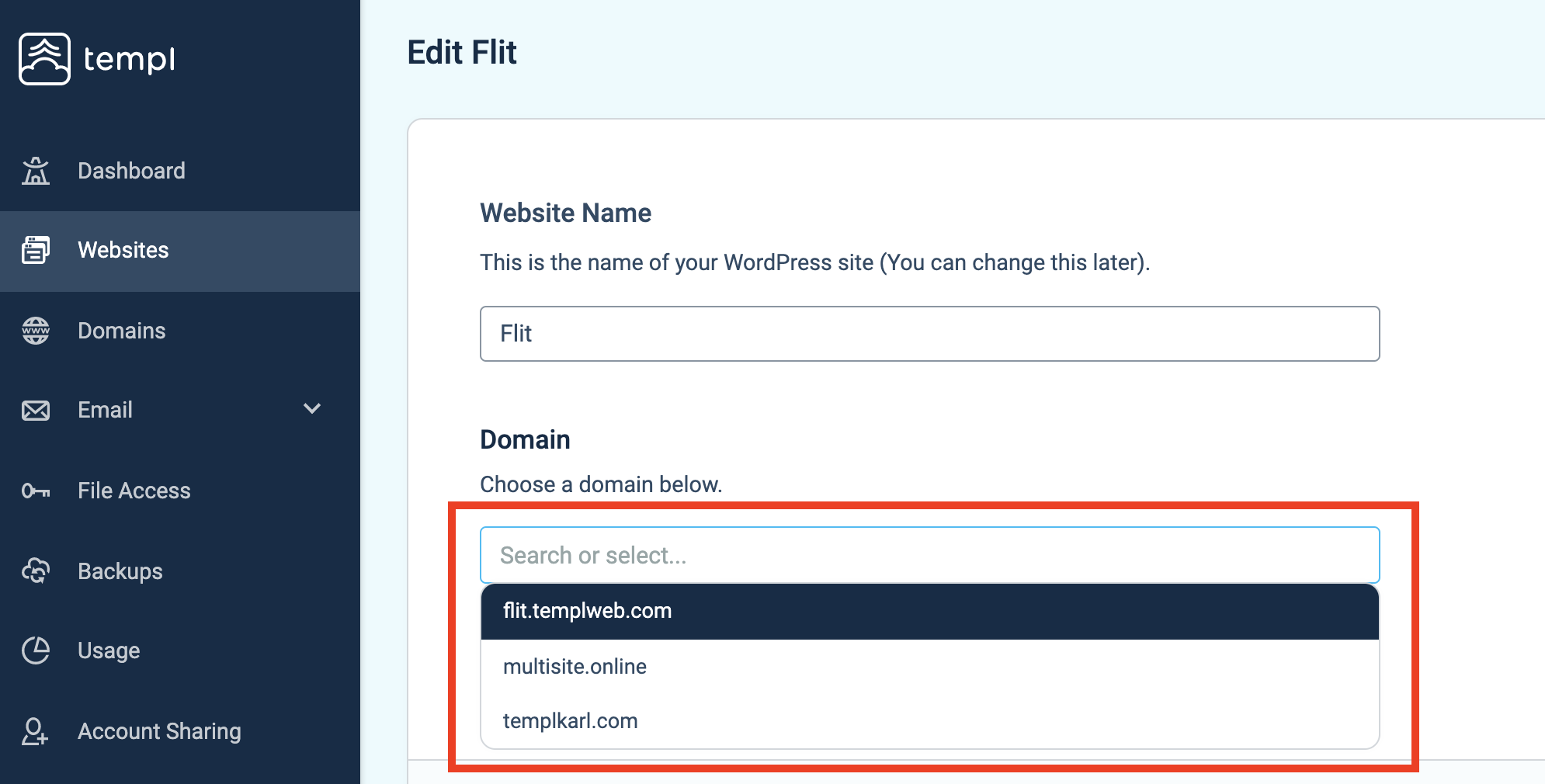
- Under Domain, select a domain in the drop-down list.
- Scroll all the way down and click Continue, that's it!
Primary domain assignment
The change completes immediately when you save it in Edit Website Details, even before public DNS points to Templ or the final SSL certificate is ready. The new primary domain is assigned and the database search-replace runs as part of the change; neither waits for DNS propagation or final certificate issuance. Do not rely on the old temporary preview URL continuing to work after the change.
Templ uses a trial-domain certificate until the final certificate is issued, then activates the final certificate automatically. The trial certificate does not match your custom domain, so a browser connecting directly to Templ on that domain will show a certificate warning.
DNS and SSL readiness
Domain assignment, public DNS, and final SSL readiness are separate steps. DNS propagation (the time for DNS changes to spread) determines when visitors reach Templ:
- DNS managed by Templ - the necessary DNS records are updated automatically and the change usually takes effect within a few minutes.
- External DNS, A record change - typically minutes to a few hours, depending on DNS caches and the previous TTL (how long a record may be cached); TTL is not a guaranteed upper bound.
- External DNS, nameserver change - commonly takes up to 48 hours to propagate globally, but can take longer. Prepare and check the required records at the new DNS provider before changing nameservers. After assigning or attaching the domain to the website, point the website records at your current DNS host to Templ and allow that change to propagate before switching nameservers. Lowering TTL in advance can reduce caching delays, but does not shorten records already cached under the previous TTL or guarantee a cutover time.
The final SSL certificate is issued once the domain's DNS is correct and has propagated, and is activated automatically once issued. See SSL certificates if issuance is delayed.
Testing before DNS changes
A hosts-file override lets your computer reach Templ using the intended domain while public DNS still points elsewhere. Keep your existing external DNS unchanged for this workflow; when adding the domain, select Use external nameservers. If Templ already manages your public DNS, assigning the domain updates its DNS records automatically, so assignment is not a private testing step.
- Add the domain and assign it to the website using the steps above. Assignment changes the site's primary domain immediately.
- Copy the website's IP address from Websites → your website → Overview in the Templ Panel.
- Edit your computer's hosts file with administrator permissions:
/etc/hostson macOS or Linux, orC:\Windows\System32\drivers\etc\hostson Windows. Add a line like this, replacing the example IP and domains with yours:203.0.113.10 example.com www.example.com - Open your intended domain in the browser. While the trial certificate is in use, expect a hostname-mismatch warning: the certificate does not authenticate your custom domain. If this blocks testing, contact support for help arranging a verified testing setup. Waiting alone will not resolve the warning while public DNS still prevents final certificate issuance.
- When ready to launch, update public DNS. Remove the hosts-file entry afterward and verify both the root domain and
wwwthrough DNS Checker, then check the site again over HTTPS without certificate warnings.
The override affects only your computer's DNS resolution and does not enable final certificate issuance. Domain assignment and database search-replace still change the actual website, not a private clone; visitors already reaching that installation can be affected even without a DNS change.
Related guides:
- How to update your name servers
- Additional domains - point other domains to this site