Point your domain at Templ
If you registered your domain somewhere other than Templ, first decide how you want to point it at your website, then add it in the Templ Panel. Your choice determines how you add the domain, so pick a route first.
Choose how to point your domain
There are three ways to point a domain registered elsewhere at your Templ site. Most people should switch to Templ-managed DNS.
Switch to Templ-managed DNS (recommended for most)
Change your domain's name servers to Templ's, handing full DNS management to Templ. We then manage all the domain's records for you.
See Switch to Templ-managed DNS.
Change A records only
Keep your DNS (and services like email) where they are, and point only the website to Templ by changing its A records.
Transfer the registration to Templ
Move the domain's registration itself to Templ, so Templ becomes your registrar and manages the domain and its DNS in one place.
See Transfer a domain.
Add the domain in the Templ Panel
If you chose to transfer the registration, skip this section - the transfer process handles everything, so you don't add the domain as an external domain. Just follow Transfer a domain.
For the other two routes, add the domain:
- In the left menu, click Domains.
- Click Add domain from external registrar.
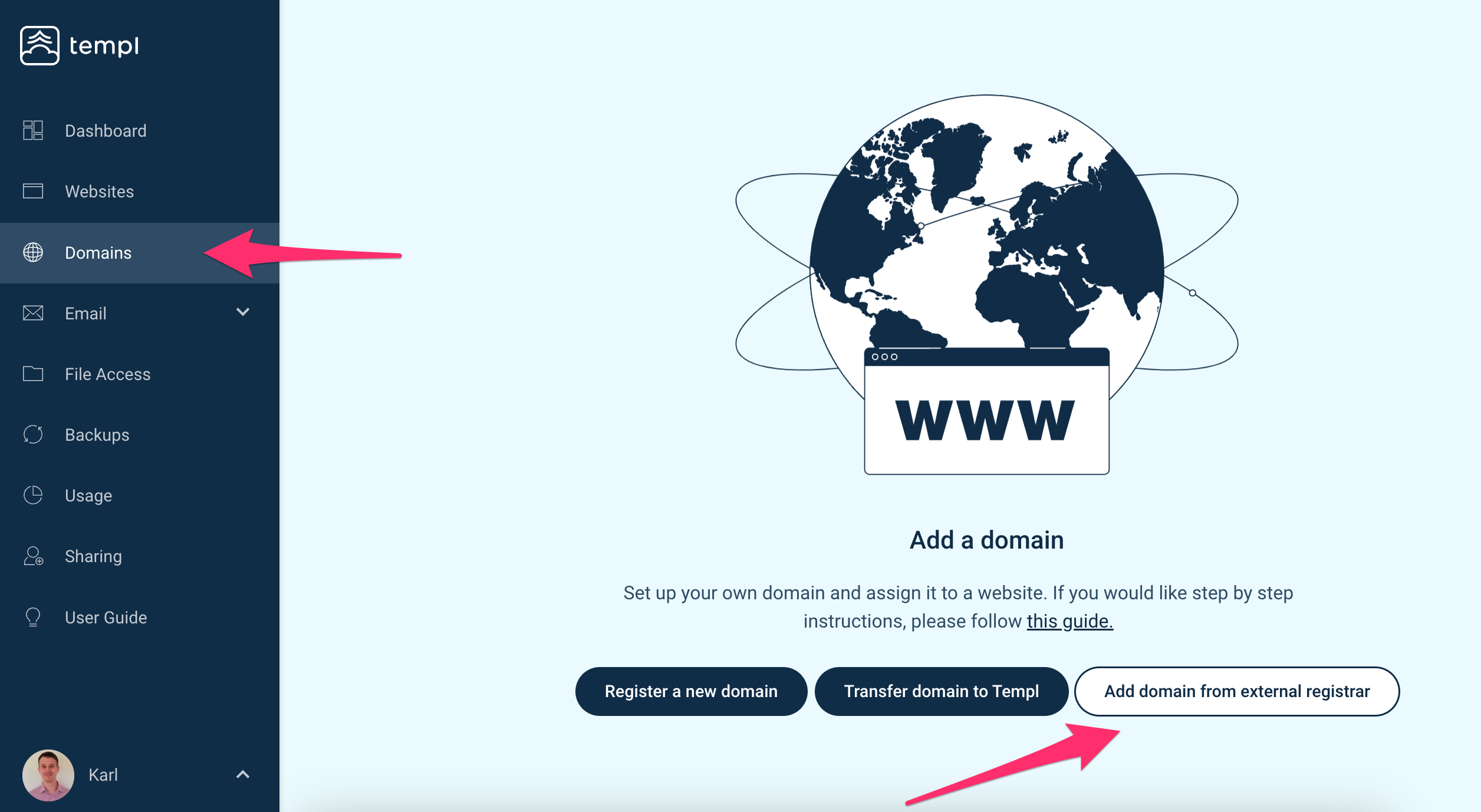
- Enter the domain name you wish to add.
- Set Use external nameservers based on your route:
- Switch to Templ-managed DNS - leave it toggled off.
- Change A records only - toggle it on.
Then continue with your route's guide: Switch to Templ-managed DNS or Change A records only.