Switch to Templ-managed DNS
This guide describes how to point your domain name at Templ by switching over to Templ-managed name servers. Pointing your name servers at Templ hands full DNS management to Templ, so we handle the domain's records for you.
This assumes you've already added the domain in the Templ Panel. If you added it with Use external nameservers on (the A records only route) and now want to switch, see Already pointing with A records? below first. If your domain is registered at Templ instead, see Administration of name servers.
Already pointing with A records?
If you previously pointed only your website to Templ with the A records only route and now want Templ to manage your DNS, contact support and we'll switch the domain over to Templ-managed DNS for you.
Before pointing your name servers at Templ, recreate any custom DNS records you still need - such as MX, SPF, DKIM, and TXT verification records - in Templ, so they aren't lost when Templ takes over DNS. See Manage DNS and Import a zone file.
Then follow Update the name servers at your registrar below. Since your site already resolves to Templ through your A records, the A-record preparation step below doesn't apply to you. Keeping the website attached and the required records consistent at both DNS providers helps avoid disruption during the switch.
Assign the domain to a website
Before directing public traffic to Templ, assign or attach the domain to the intended website. To make the domain your website's primary domain, open the website in the Templ Panel, click Edit Website Details, and select the domain - see Change a website's domain.
If you instead want the domain to point at a site without changing that site's primary domain, attach it as an additional domain.
Before you update your name servers
Prepare and check the required DNS records in Templ before changing your authoritative name servers (the servers that answer DNS queries for your domain). If the DNS zone is unavailable, contact support before switching.
To reduce disruption, we recommend changing your domain's A record to point to your website's IP address at your current DNS provider after attaching the domain and before switching name servers. That way your old DNS already sends visitors to Templ while the name server change takes effect. Allow the A-record change to propagate before switching; timing depends on DNS caches and the previous TTL (how long a record may be cached).
Change name servers at your registrar
To enable Templ to automatically handle your domain, update the name servers at your domain registrar to the correct Templ name servers.
Find your Templ name servers
- Navigate to Domains in the left menu of the Templ Panel.
- Click on the domain you wish to update. The assigned Name servers will be displayed there.
If Templ has set up your domain through Cloudflare, use the name servers assigned in Cloudflare instead. You can find them in the Cloudflare dashboard or ask support for them.
Registrar guides
Here are links to popular domain registrars and their guides for updating name servers.
Is your registrar not listed? If you're unsure how to update your name servers, send us a message for help, or contact your domain registrar for assistance.
Check if your name servers have propagated
The easiest way to check if your name servers have propagated around the world is to use a DNS Checker tool.
- Enter your domain name, select "NS" from the dropdown, and click Search.
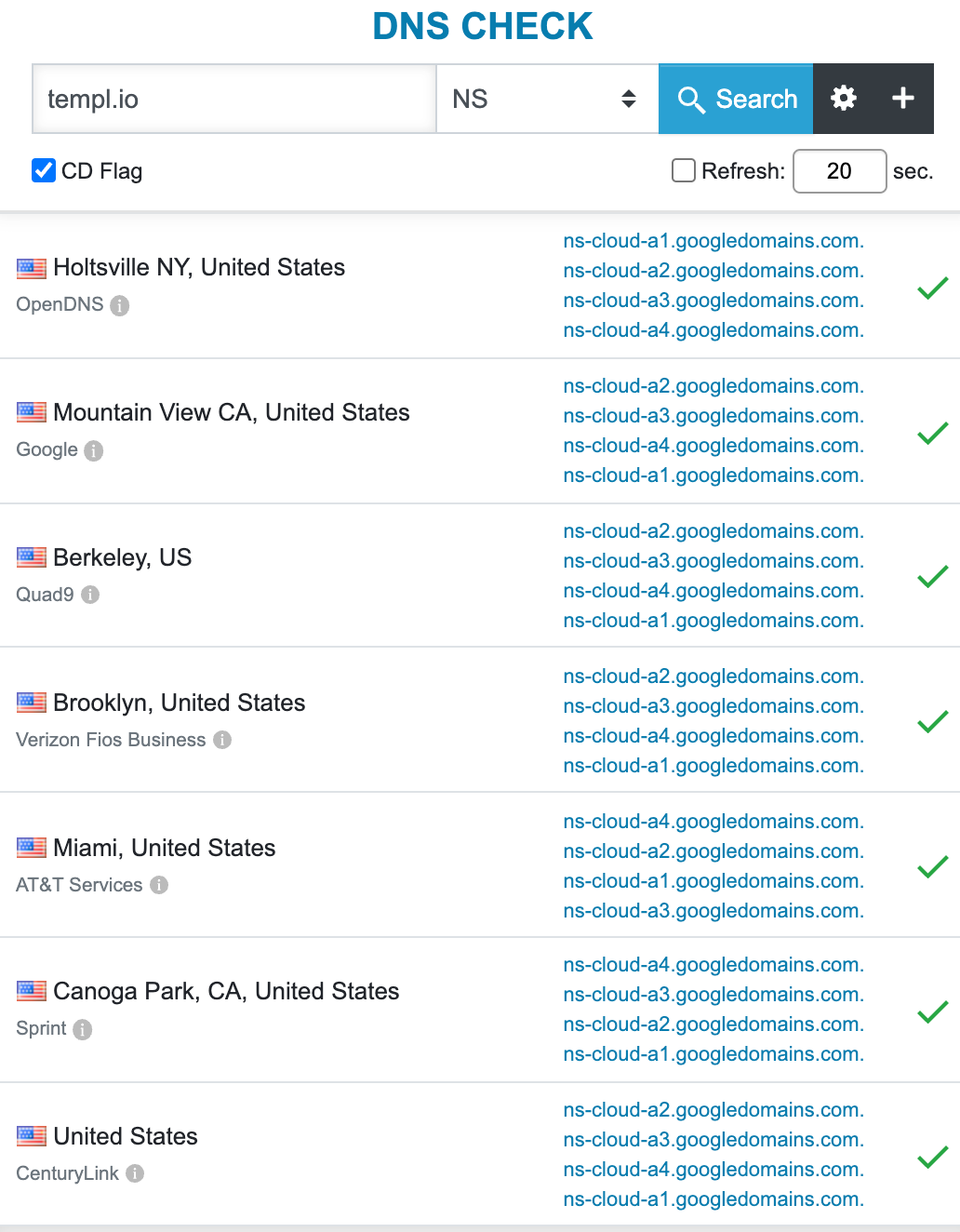
Once propagated, the results will show the Templ-assigned name servers you set at your registrar. Global propagation can take 48 hours or longer.
Your domain's DNS is now managed by Templ.