Change A records only
If you only want to migrate your website to Templ while maintaining email and other DNS settings elsewhere, you should only point your A-record to the IP address of your Templ website.
This assumes you've already added the domain in the Templ Panel with Use external nameservers toggled on.
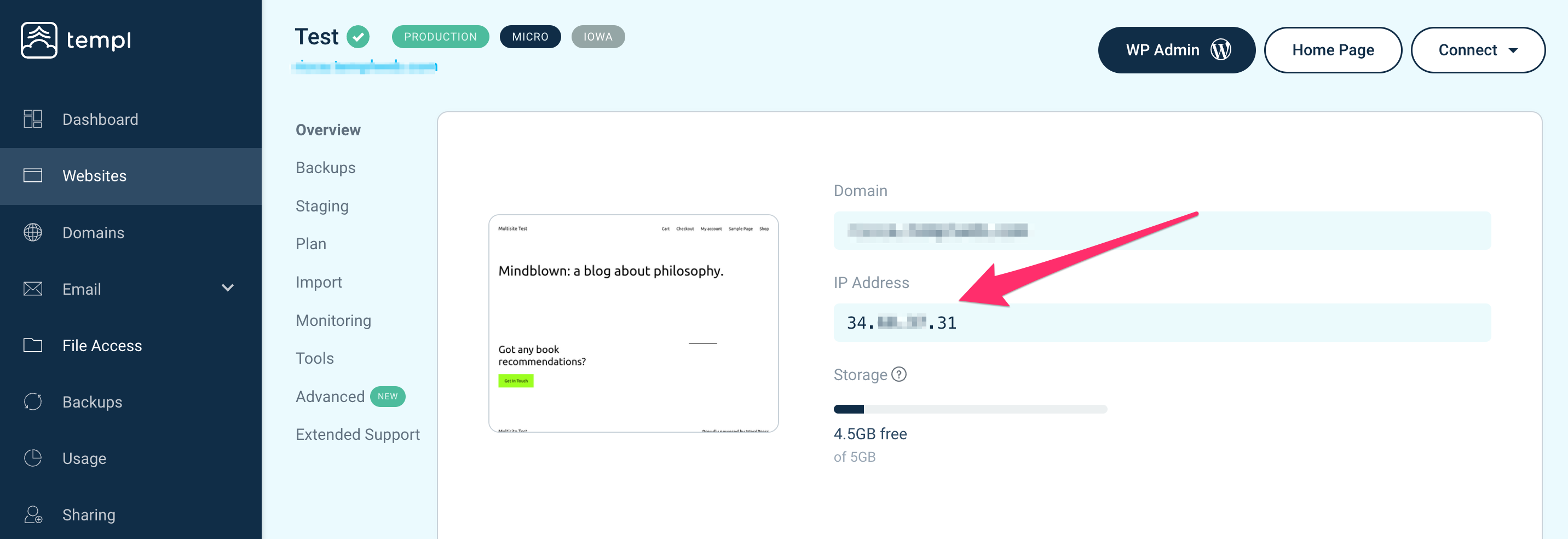
Find the website IP in the Templ Panel
- Navigate to Websites in the left menu of the Templ Panel.
- Click on the name of your website. The IP address will be listed under Overview.
How to change A-records
- Access DNS Settings: Log into the platform where you manage your DNS settings, normally the same place as where you registered your domain, and navigate to the domain's DNS Settings.
- Update A-Records: Modify the A-records for "@" and "www" to point to your Templ website's IP address. It is important to change both @ and www.
Checking A-record propagation
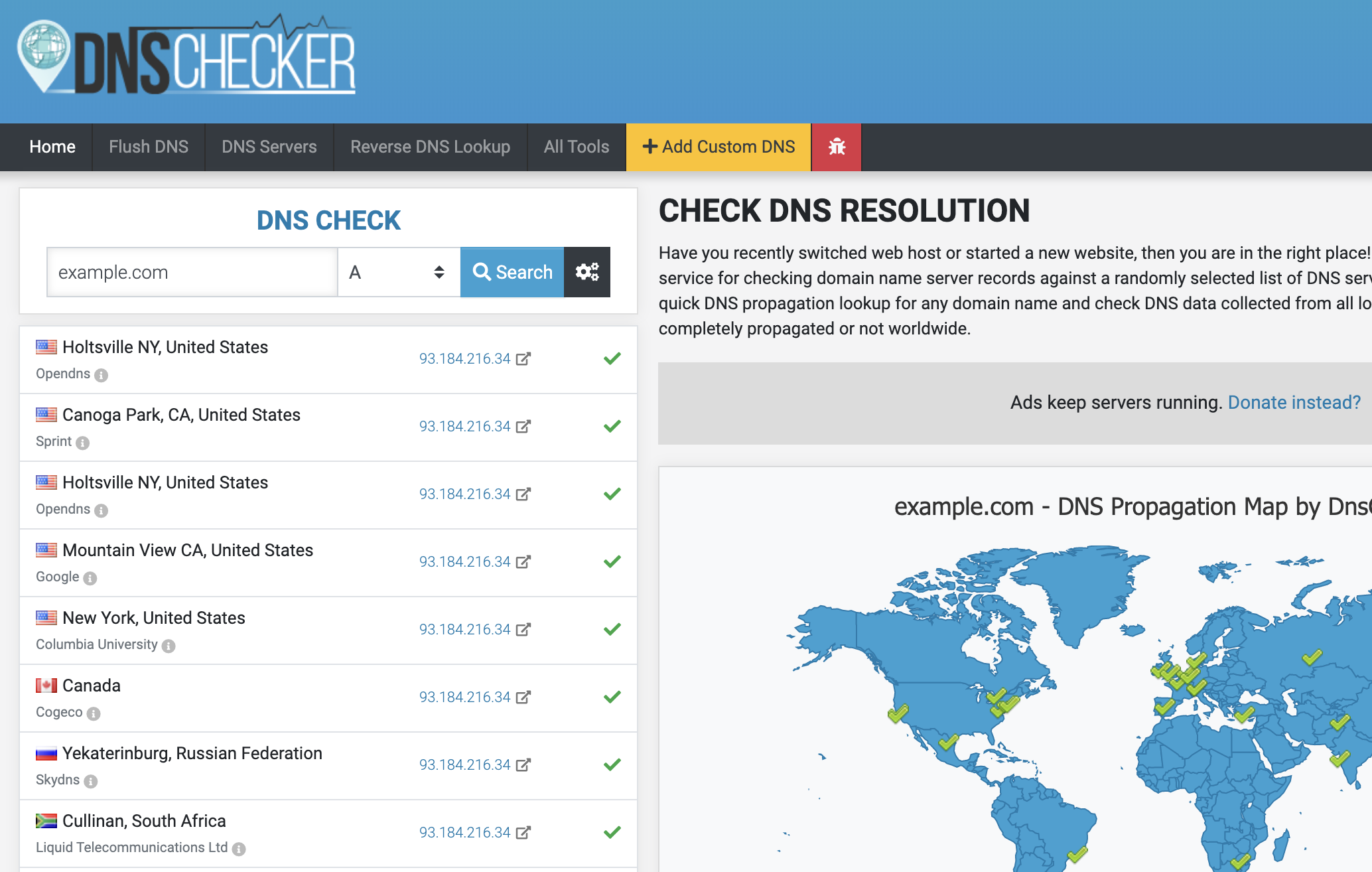
The easiest way to check if your A-records have propagated around the world is to use DNS Checker.
- Enter your domain name, select "A" from the dropdown and click Search.
- If the A-record changes have properly propagated, it will display your Templ website's IP address.
SSL certificate
Templ uses a temporary certificate after domain assignment while the final certificate is pending; browser-trusted HTTPS is not guaranteed during this period. Once your A-records point to Templ and have propagated, the final SSL certificate is issued and activated automatically. If it doesn't appear, or you want to trigger issuance manually, see SSL certificates.