Can't log in to WP Admin
Being locked out of WP Admin is usually a password or cookie problem, not a hosting one. Work through the causes below in order.
Try the WP Admin button
If you normally type a username and password, try the one-click WP Admin button on the website's overview instead - and if the button is what's failing, try typing your credentials at the WordPress login page.
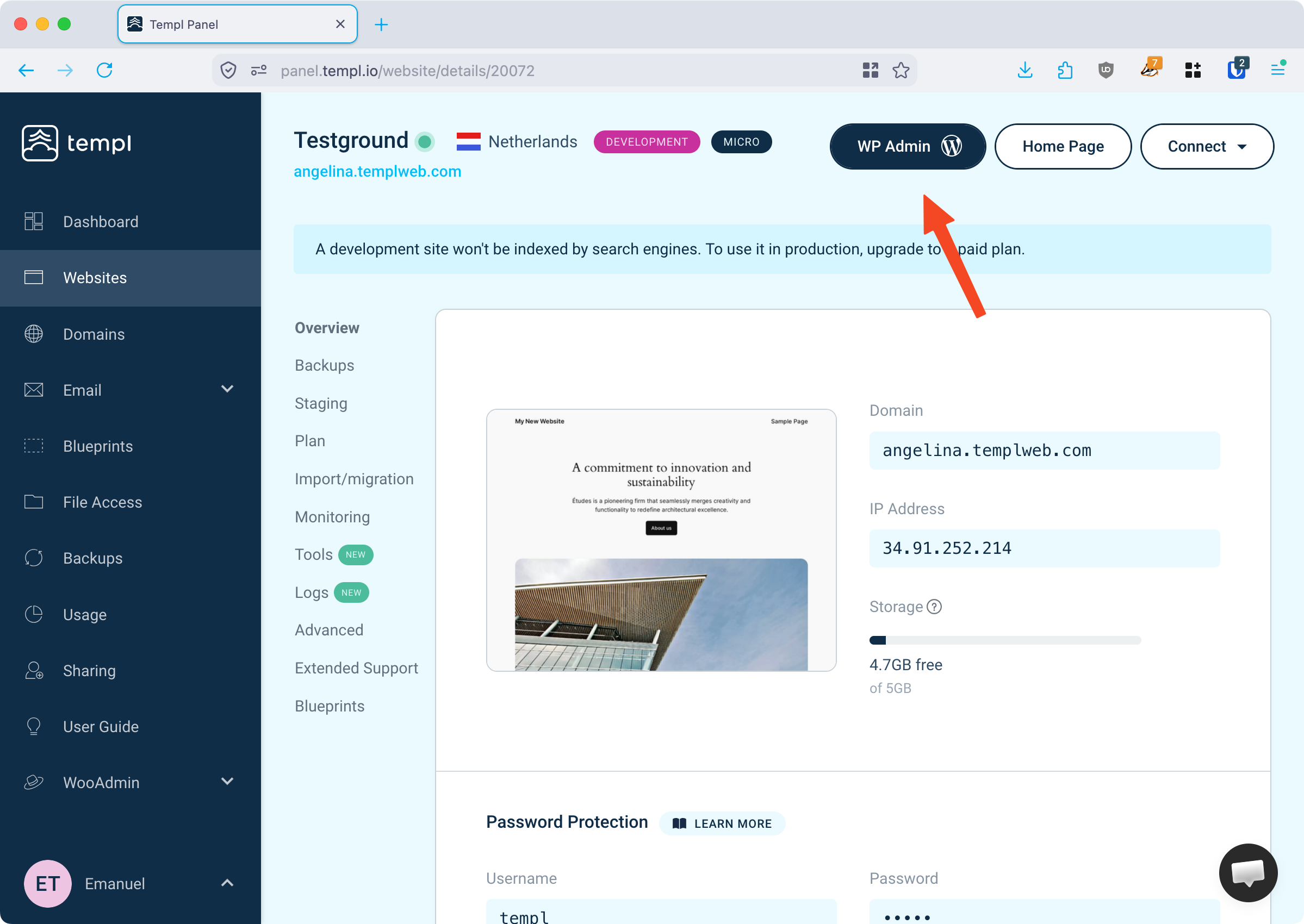
The button uses passwordless Templ Token Login, so it works even when your password is wrong. If it drops you on the normal login screen, the token login isn't set up - see Templ Token Login.
Also rule out your browser: try a private window, another browser, and disable password-manager autofill.
Reset your password
Reset it from the login page with Lost your password?, which emails you a reset link. If the email doesn't arrive, check your spam folder; if it's still missing, your site may have an email deliverability problem.
When you can't receive the email at all, reset the password directly over SSH with WP-CLI.
Redirect loop upon logging in
If the login page reloads without an error and lands you back on the login screen, it's almost always a stale cookie - clear your browser cookies and try again.
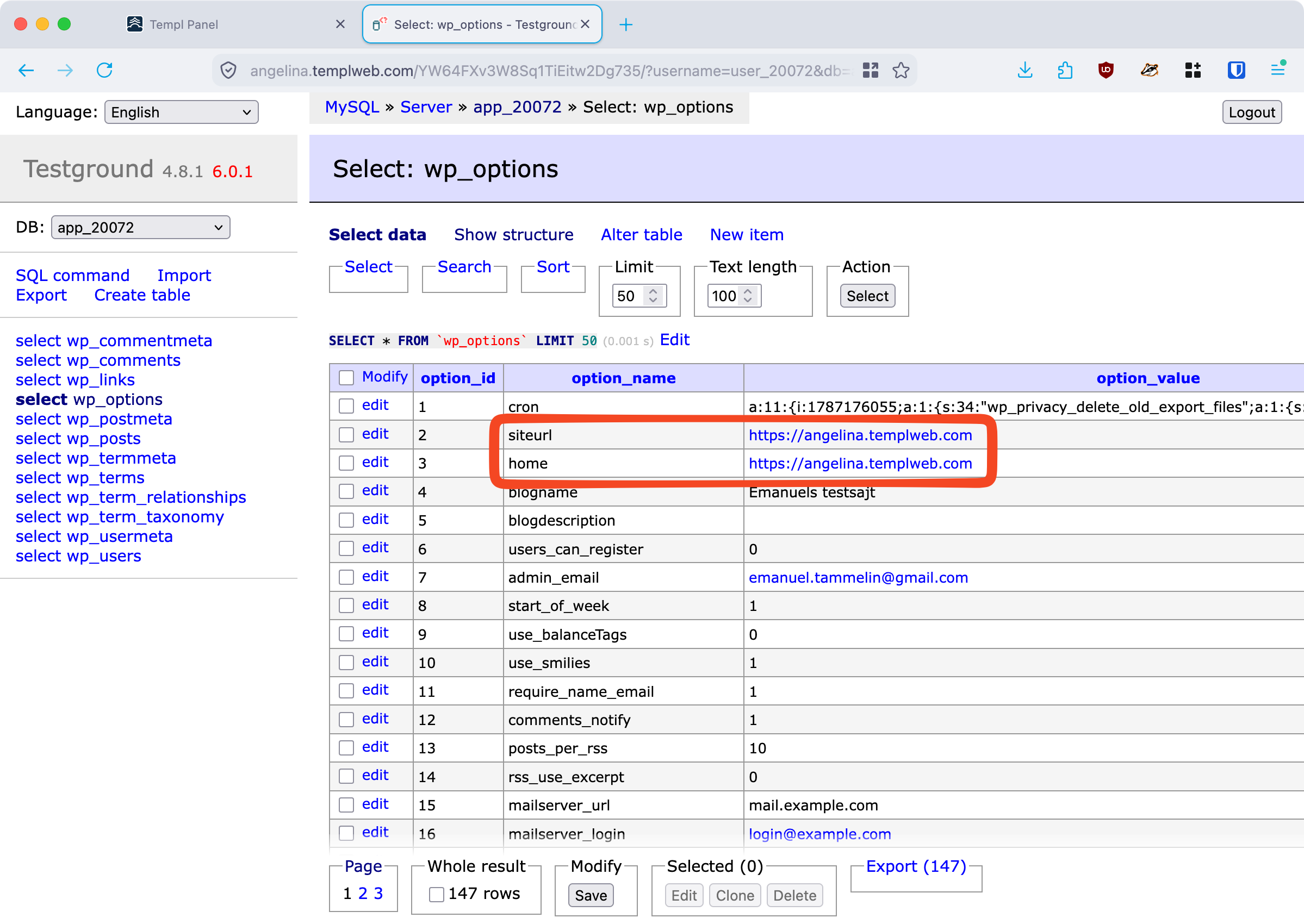
If that doesn't help, check the home and siteurl options in the wp_options table.
A wrong value sets the login cookie for the wrong domain and loops you back.
See Log in to the database.
Deactivate plugins
Security and login plugins - two-factor, login limiters, custom login URLs - can lock you out. If you know which one, deactivate it from the Templ Panel's Tools → Deactivate Plugins → Deactivate Single without needing WP Admin. See Deactivate a single plugin from the Panel.
If you're not sure which plugin is to blame, use Deactivate All on the same tool to disable them all at once, then reactivate them one by one after you're back in. See Deactivate plugins and themes.
Locked out by an IP ban
Repeated failed SFTP or SSH logins can ban your IP, blocking all access to the site - not just WP Admin - so it looks like the site is down. Lift it with Clear banned IPs.
If you still can't get in after resetting your password and clearing cookies, contact support and we'll help you regain access.