Deactivate plugins and themes
Deactivating plugins and switching to a default theme is the standard way to isolate what's causing an issue - a slow page, an error, a redirect loop, or a lockout. If the problem disappears while plugins are off, reactivate them one by one until it returns to find the culprit.
Deactivate a single plugin from the Panel
When you already know which plugin is at fault - for example a plugin update just white-screened the site or a security plugin locked you out - deactivate it directly from the Templ Panel. This works even when the site is down and WP Admin is unreachable, so it's usually the fastest way to recover.
- Open the website in the Templ Panel and go to the Tools tab.
- Under Deactivate Plugins, click Deactivate Single.
- Enter the plugin's slug - its folder name in
wp-content/plugins, e.g.contact-form-7- then confirm.
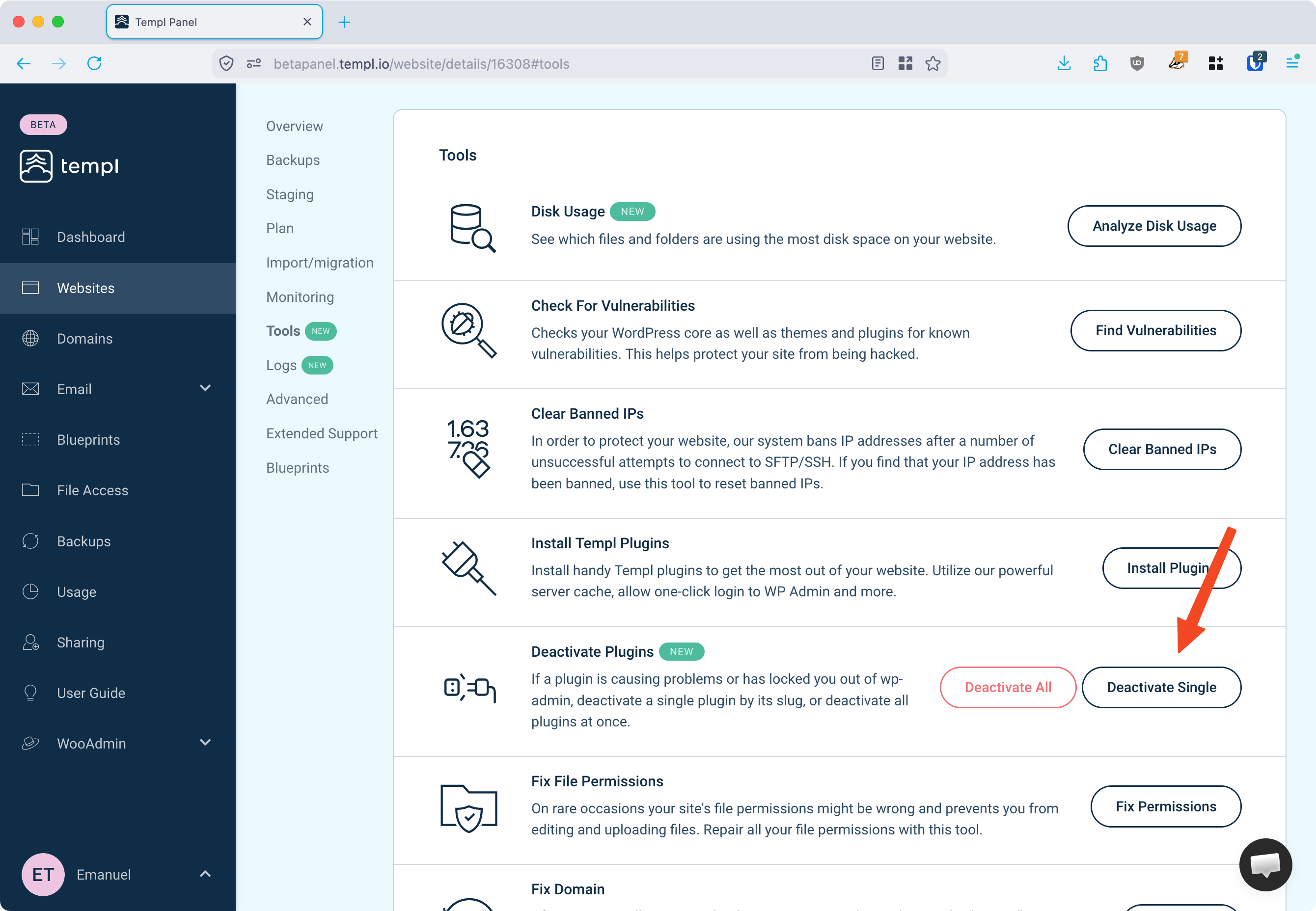
The tool deactivates one plugin per run and only deactivates - it never deletes files or data, so it's fully reversible. Reactivate from the WP Admin Plugins screen once you're back in.
If you don't know the slug, find it in the plugin's WordPress.org URL (wordpress.org/plugins/<slug>/), in the error message naming the plugin, or in Templ's vulnerability reports.
Deactivate all plugins
When you don't yet know which plugin is responsible, deactivate them all, then narrow it down. Pick whichever method you can reach:
- From the Panel: on the Tools tab, under Deactivate Plugins, click Deactivate All. Works even when WP Admin is unreachable.
- From WP Admin: go to Plugins, select all, and choose Deactivate from the bulk actions.
- Over SSH: run
wp plugin deactivate --all. See Deactivate plugins.
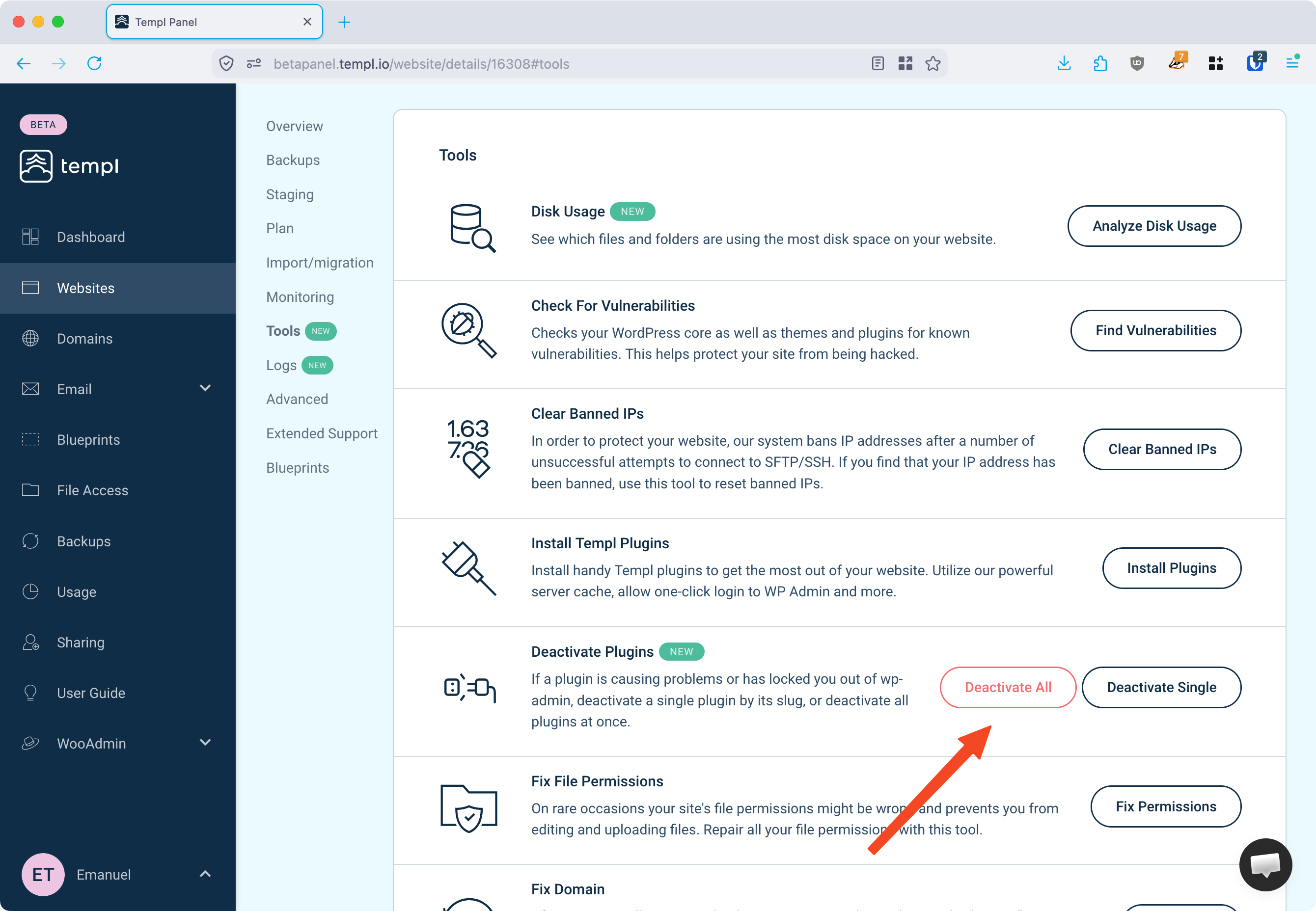
If the issue is gone, reactivate your plugins one at a time, checking after each, until it reappears - that plugin is the cause.
Switch to a default theme
If deactivating plugins didn't help, temporarily switch to a default theme such as Twenty Twenty-Four. If that resolves the issue, the problem is in your theme - update it to the latest version, or contact the theme developer if it persists.