Transfer a domain
This article describes how to transfer a domain from a third party to Templ.
How to transfer a domain to Templ
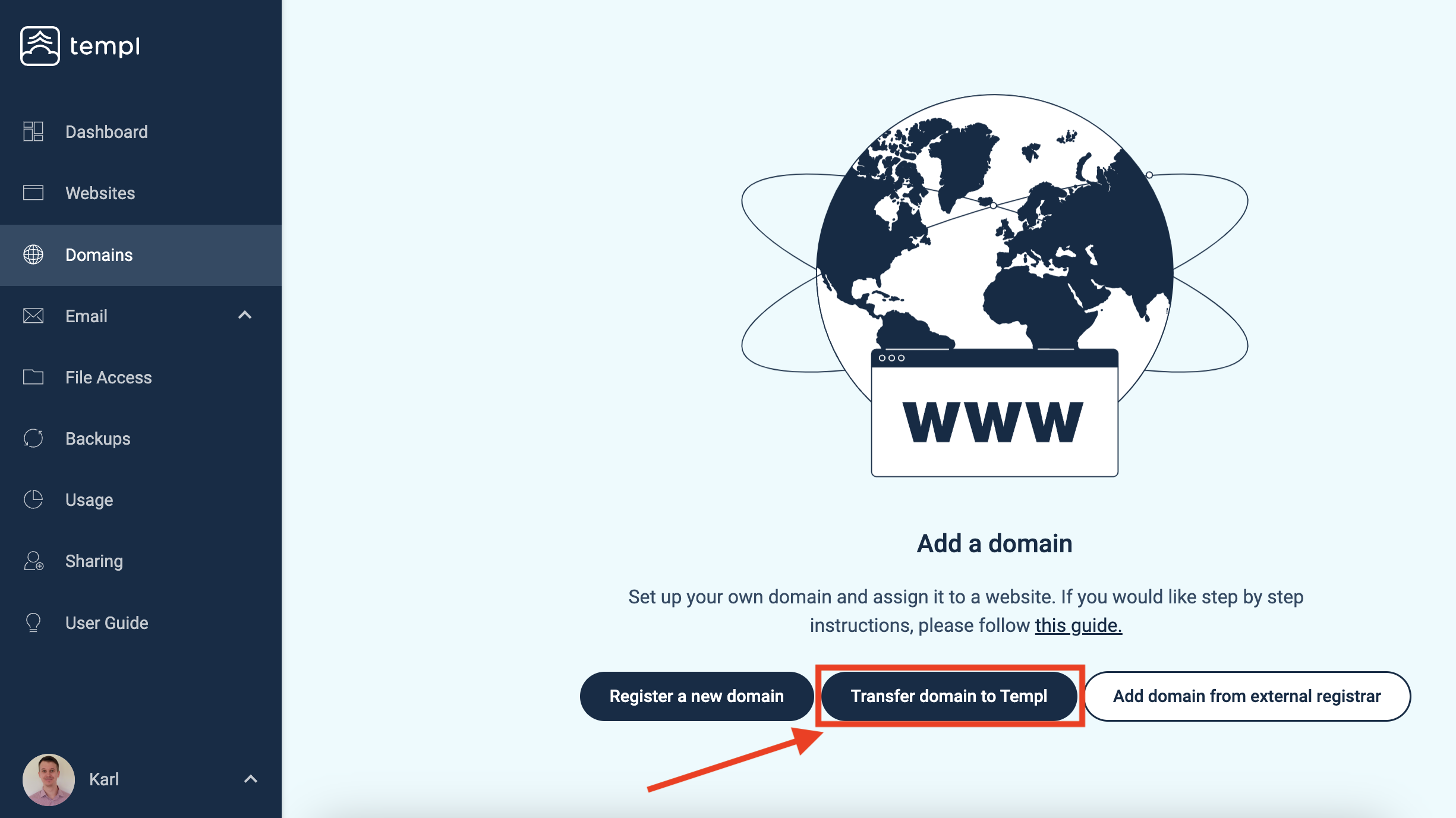
In the Templ Panel, click on Domains in the left menu, followed by clicking on Transfer domain to Templ.
The next step is to enter the name of the domain you would like to transfer to Templ. After that you'll need to enter the authorization code (also called EPP/transfer code at some registrars).
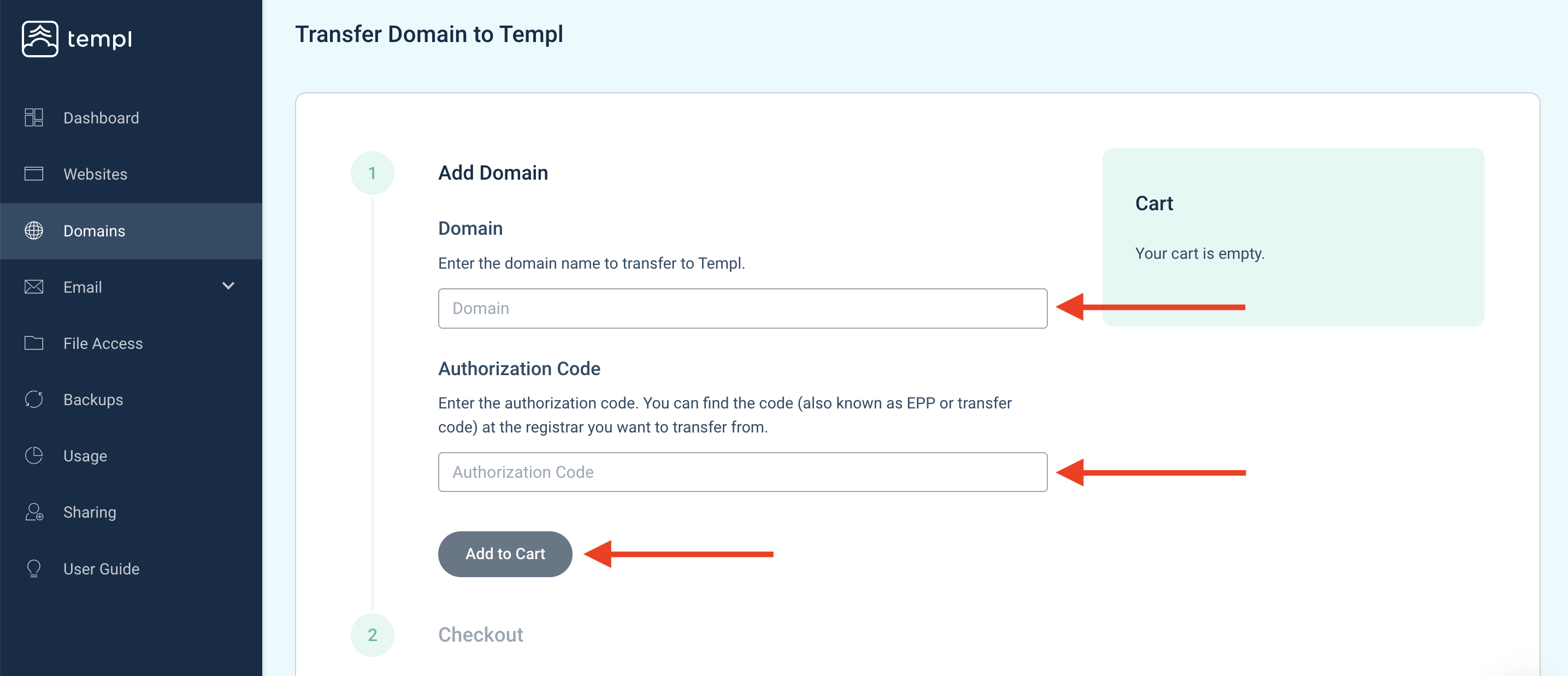
After you have filled in the domain name and authorization code, click Add to Cart, followed by choosing payment method if prompted. Next, click Checkout.
Most TLDs charge a transfer fee equal to one year's renewal and extend your registration by a year. Some TLDs are free to transfer - the Transfer column in the price list shows $0 for them (.se, .nu, .dk, .no, .fi, .nz, .ae). For those, the cart total is $0 (0 kr if your subscription is in SEK). That's the correct price, not an error - finish the checkout the same way, nothing is charged.
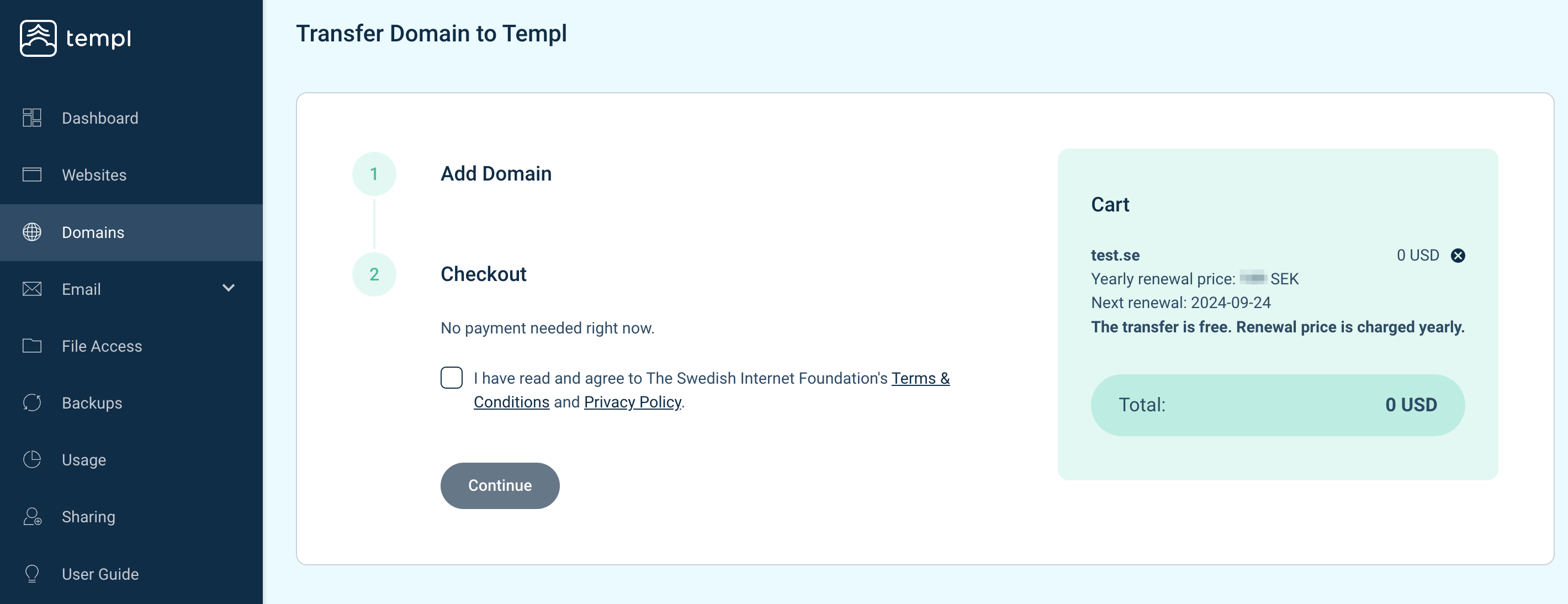
To finish the transfer, accept the terms and conditions and click Continue. Your domain will now be transferred to Templ.
FAQ
The transfer costs 0 kr / $0 - is that correct?
Yes, if the domain's TLD has no transfer fee (see the Transfer column in the price list). Complete the order as usual: Add to Cart → Checkout → accept the terms and conditions → Continue. No payment method is charged.
I see the price but no button to continue
Continue appears at the last checkout step, after the terms and conditions are accepted. If you stopped at the cart, click Checkout first. If the domain is already in the cart from an earlier attempt, empty the cart and start over. If Continue still doesn't show, contact support with the domain name.