Development plan
A development plan is a free plan for building new sites directly on Templ, so you can develop without paying until the site is ready to launch.
What are development plans?
A development plan stays free until you upgrade it to a paid plan, with no time limit.
Every paying customer gets one free development site. Templ partners can have an unlimited number of development sites simultaneously.
The purpose of the plan is to make it easier to develop new sites directly on Templ, while keeping the costs low during the development phase.
Development plans have the same features as our production plans, such as automatic backup, staging, etc. You can upgrade to any of our other plans at any time.
A development site doesn't have to be a brand new project. It can also be a copy of a site you already run, giving you a second environment in addition to the site's one staging site.
There are two development plans to choose from:
- Development (Micro) - same specs as our Micro plan
- Development (Small) - same specs as our Small plan
Limitations
Development plans are meant for building and testing. They come with a couple of limitations that reflect this:
- Not for production use. It's not allowed to run a live, production workload on a development plan - including using it as a headless backend, an API, or any service that real users or other systems depend on. Once the site goes live, upgrade it to a paid plan.
- Discouraged from indexing. We add an
X-Robots-Tag: noindex, nofollowresponse header to development sites, which asks search engines not to index them. This isn't a guarantee that Google and others won't find the site - to be 100% sure it stays private, password protect the site.
When your site is ready to launch, upgrade it to a paid plan to remove these limitations.
Create a development site
Click Create Website, then select Development (Micro) or Development (Small) under Website Plan.
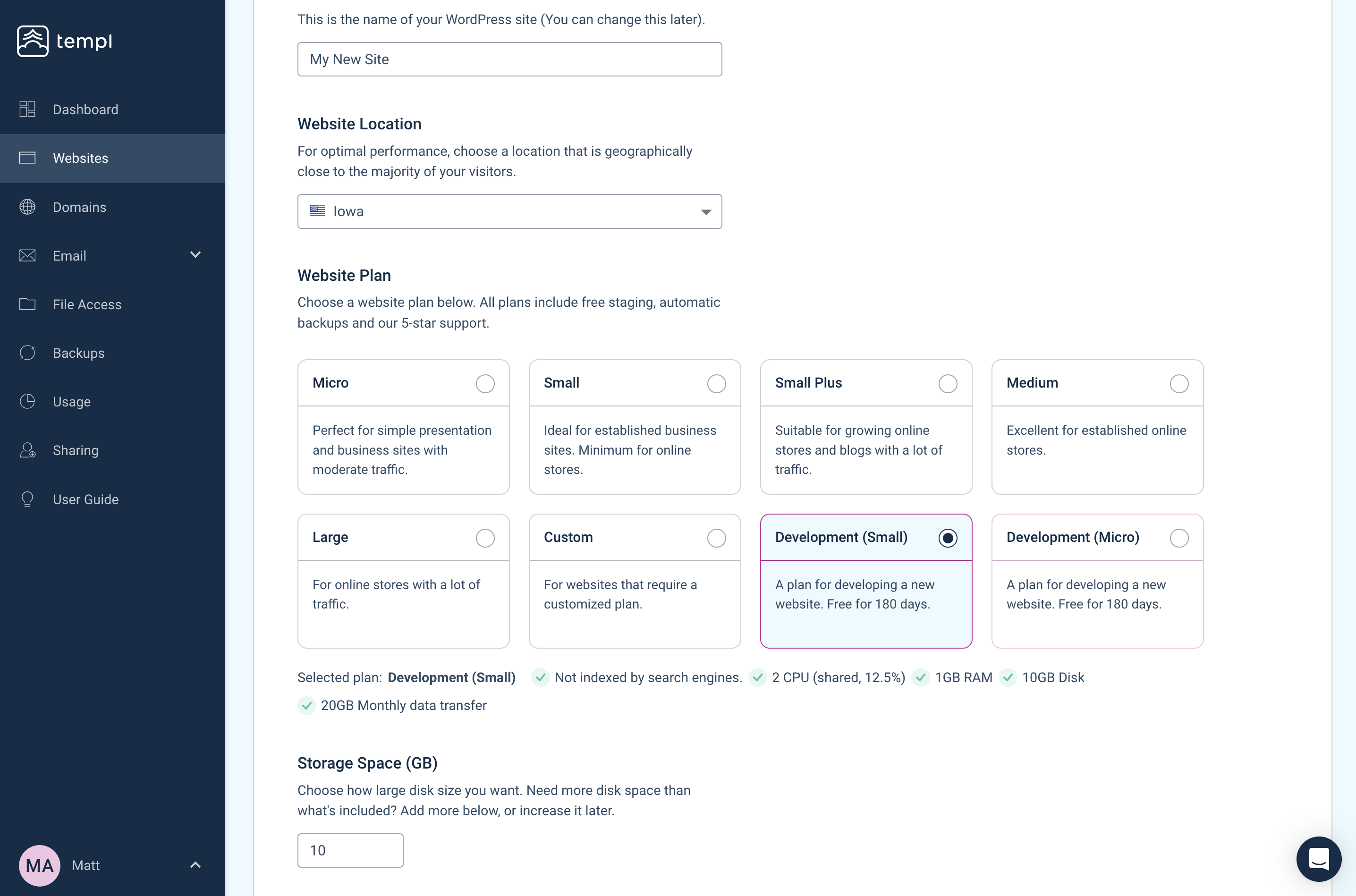
To start from a copy of an existing site instead of a blank WordPress install, clone the site and pick a Development plan for the copy.
FAQ
Can I develop my customers' sites on my own account?
Absolutely. You can build a site on your own account and move it to the customer's account when it's ready to launch. Reach out to our support if you want help moving a site to another Templ account.
Can I use a development site to test changes to a live site?
Yes. Clone the live site onto a development plan and work there, then use Clone to existing website to copy the finished files back to production. This is an option worth knowing about if you need a second environment, since each website can only have one staging site.
You can point a domain at the development site, for example dev.yourdomain.com, if that's easier to work with than the temporary domain.
The usual limitations still apply: the site is asked not to be indexed by search engines, and it can't run a production workload.
Can I get more development sites?
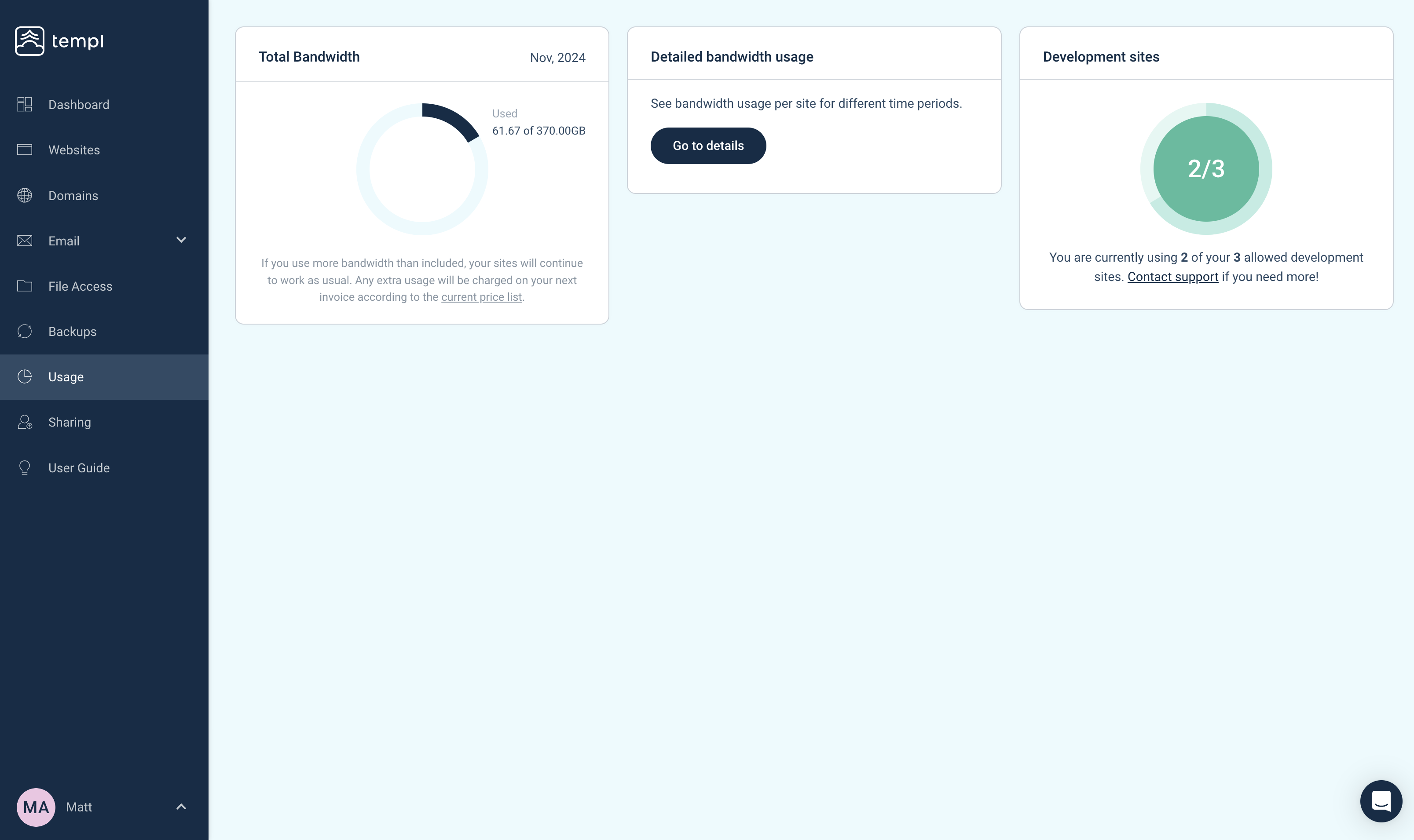
Every paying customer gets one free development site. Templ partners can have an unlimited number of development sites at the same time. If you've reached your quota, the Development options disappear from the plan selector when creating a website. Contact support to request a higher quota.
Where can I see how many development sites I have?
You can see how many development sites you currently have in our panel by navigating to the usage page.