PHP settings
Sometimes certain WordPress themes and plugins require modified PHP settings to work properly. You can change both your PHP version and common PHP settings yourself directly in the Templ Panel, as described below.
Change PHP version
To change the PHP version of a site, open the site in the Templ Panel and click the Advanced tab.
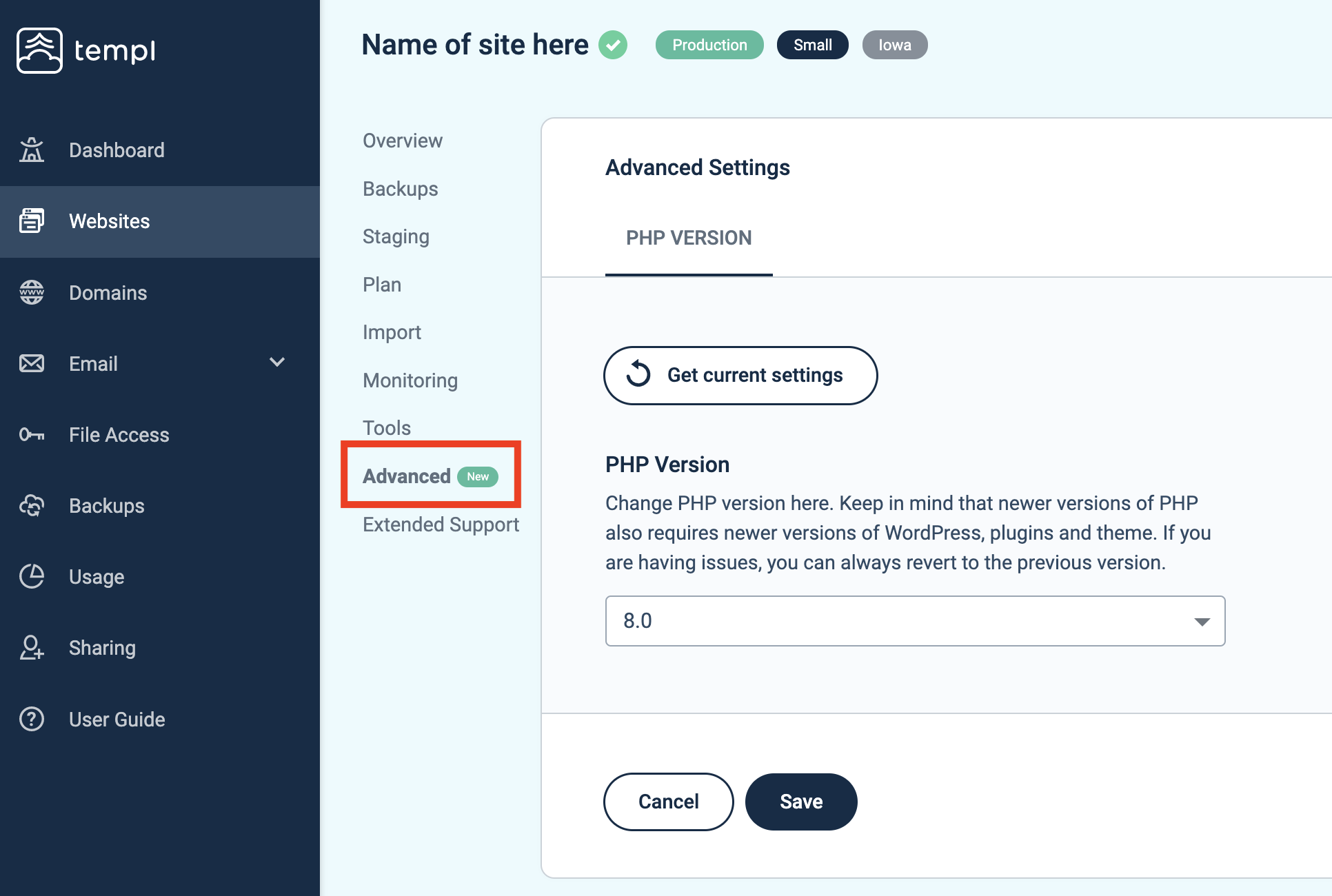
Click Get current settings to load the site's current configuration, then select your desired PHP version and click Save.
Changing PHP version takes only a few seconds.
For the list of available PHP versions and our recommendation on which to run, see Supported PHP versions.
Change PHP settings
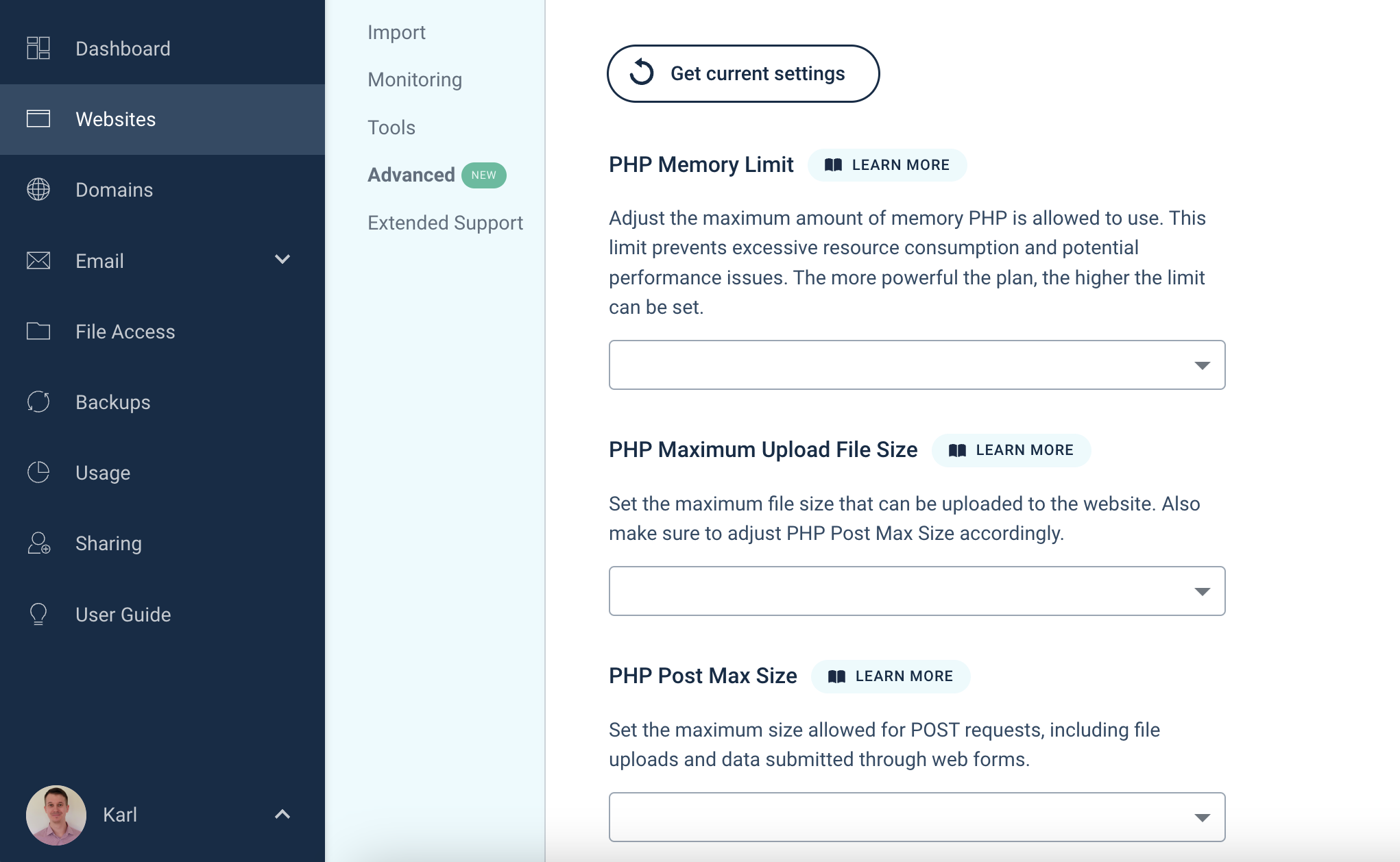
To change PHP settings, navigate to the website in our panel you would like to change settings for, then click Advanced, followed by PHP Settings.
From here you can change the following settings:
- Max upload size
- Post max size
- Memory limit
- Max execution time
- Max input vars
Change other PHP settings
Settings that aren't in the Templ Panel can be changed on the site itself, in one of two ways.
Option 1: A .user.ini file
Templ supports .user.ini, PHP's per-directory settings file.
Set up file access, then create a file named .user.ini next to wp-config.php in your site's root folder.
A typical use is auto_prepend_file, which runs a PHP file before every request, for example to load a debugging or profiling script:
auto_prepend_file = /path/to/your/site/prepend.php
short_open_tag = 1
Two things to know:
- Not every setting can be changed this way. Some are locked at the server level and are ignored if you put them in
.user.ini. - Changes aren't instant. After creating or editing the file, restart the website in the Templ Panel for the new settings to take effect.
Option 2: ini_set in wp-config.php
Some PHP settings can also be set from your code, by adding a line like this to your wp-config.php file:
ini_set('setting_name', 'value');
This only works for settings PHP allows to be changed while a page is loading, which is fewer than .user.ini supports.
If a setting doesn't take effect this way, use a .user.ini file instead.
FAQ
Does Templ support .htaccess?
No.
.htaccess is an Apache feature and Templ runs nginx, so nothing reads the file and the rules in it never apply.
A leftover .htaccess from a migration is harmless - you can delete it or leave it.
For PHP settings, use the Templ Panel or a .user.ini file as described above.
For anything else your .htaccess did, such as redirects or blocking access to files, contact support and we'll help.