Email forwarding
Templ can forward incoming email for your domain to an address of your choice, for example your personal Gmail. This lets you receive mail at [email protected] without running a full mailbox.
To send email from your own address as well at no extra cost, use a desktop email client with Templ SMTP. See Use email forwarding with an email client. If you want to send from your domain in the Gmail web interface, use Google Workspace instead.
MX records
MX records are DNS settings that determine where incoming email is delivered. For incoming email to reach Templ, your domain needs our MX record.
Using Templ's DNS
If your domain points to Templ using our nameservers, the MX record is set automatically. For Google Cloud DNS, view or change it under Domains → Your Domain → Manage DNS in the Templ Panel. For Cloudflare, use the Cloudflare dashboard or ask support.
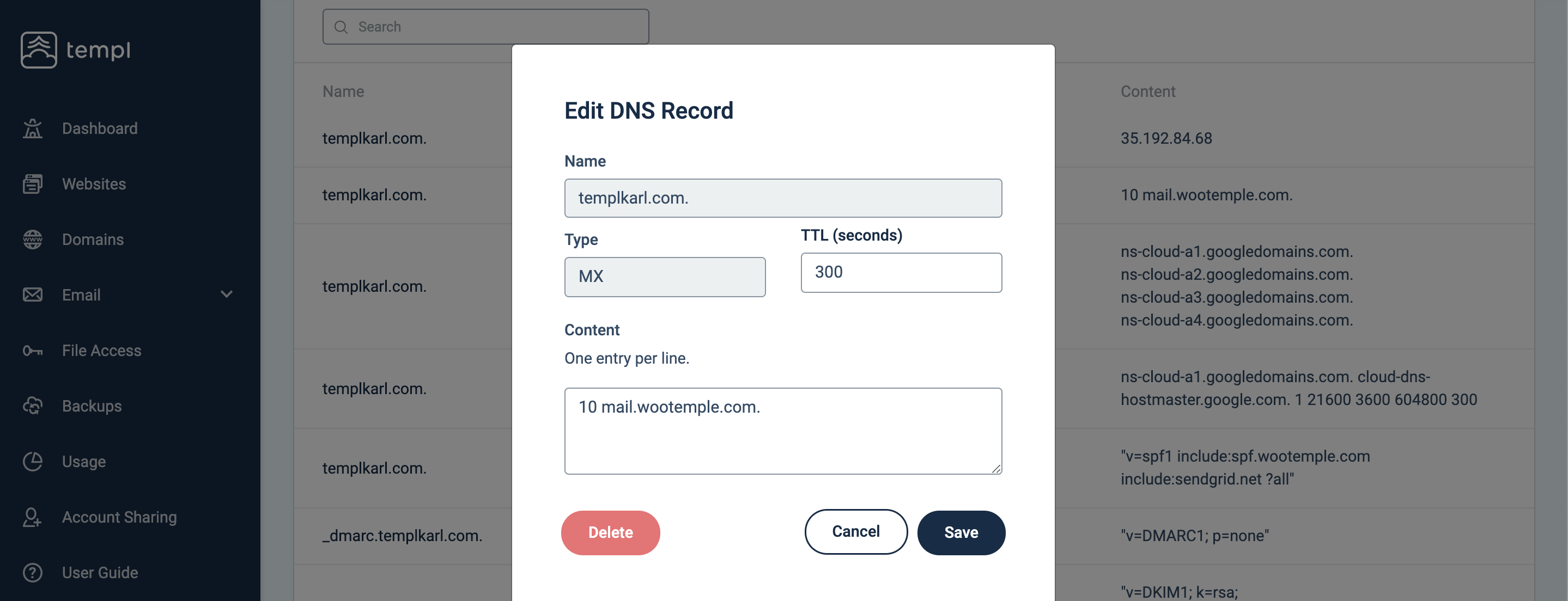
10 mail.wootemple.com.
Here 10 is the priority and mail.wootemple.com is our email server.
Using DNS from a 3rd party
If you manage DNS elsewhere, add the MX record using your provider's fields:
- Record type: MX Record
- Name/Host/Alias: @ or leave blank
- TTL: 300 or default
- Priority: 10
- Value/Answer/Destination/Server: mail.wootemple.com
Create a forwarding address
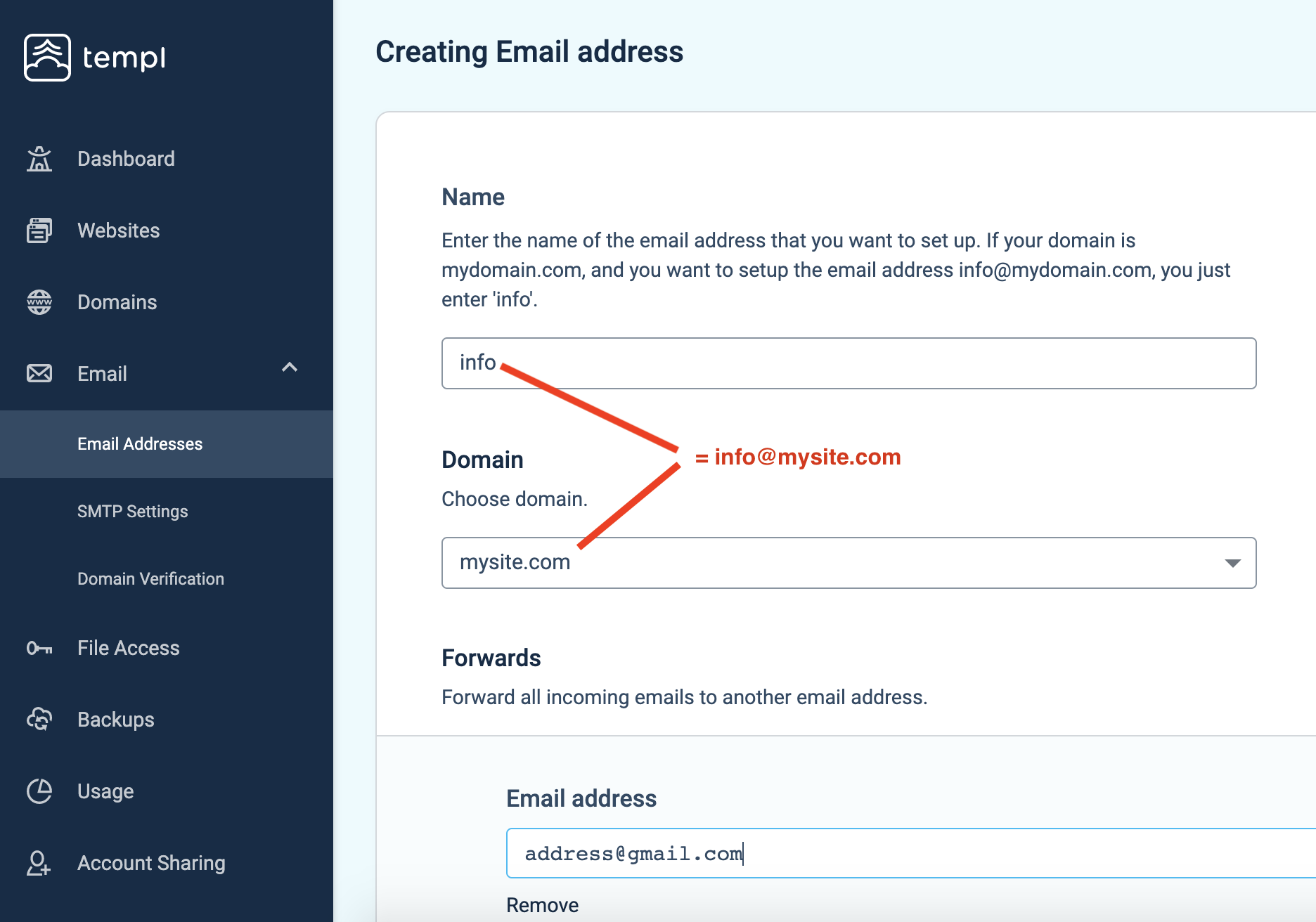
In the Templ Panel, go to the Email section, open Email Forwarding, and click Add Email Address. Then fill in:
- Name: the part of the address before the @. For [email protected], enter just
support. - Domain: choose your domain from the list.
- Forwards: click Add and enter where the mail should go, for example your Gmail address.
Scroll down and click Continue.
Catch-all forwarding
A catch-all address forwards email sent to any address on your domain that you haven't created yet, such as [email protected] or [email protected].
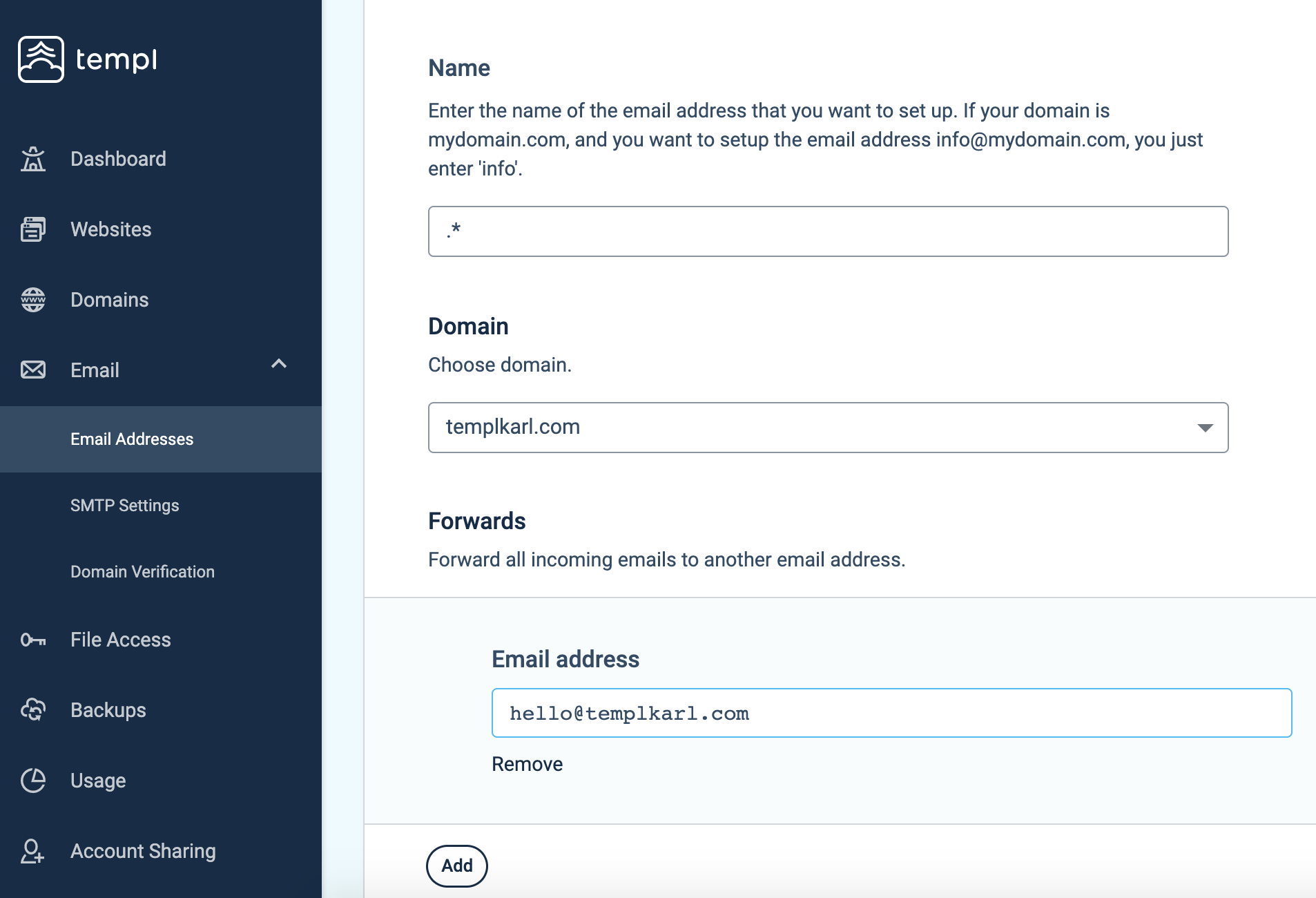
To create one, follow the steps above but enter .* as the Name. In the example below, any missing address at templkarl.com is forwarded to [email protected].