Multisite
A WordPress multisite network runs several sites from a single WordPress install. This page covers how to set one up on Templ, whether you use a subdirectory or a subdomain install.
Enable Multisite
First, enable multisite on your WordPress site itself.
Follow the official WordPress guide Introduction to WordPress Multisite Networks, which walks you through editing wp-config.php and running the Network Setup.
wp-config.php file, we recommend setting up file access to your site.During the Network Setup you choose whether the sites on your network live under subdirectories (e.g. site.com/blog1) or on their own domains - either subdomains (e.g. blog1.site.com) or completely separate domain names (e.g. anothersite.com).
Depending on your choice, one extra step is needed on Templ, described below.
Temporary domains don't support subdomains
Every website starts on a temporary domain (*.templweb.com, or *.templtrial.com on a free trial), and subdomains of it don't exist in DNS.
A name like blog1.mysite.templweb.com therefore fails with DNS_PROBE_FINISHED_NXDOMAIN.
A subdirectory install works on the temporary domain as it is: mysite.templweb.com/blog1.
A domain-based network needs your own domains for the network sites - see Domain-based install below.
The site can keep the temporary domain as its primary domain; changing the primary to your own domain is optional.
WordPress locks in the install type when you run the Network Setup, so switching afterwards means reconfiguring the network. If you want subdomains, have your own domain ready before you start.
Subdirectory install
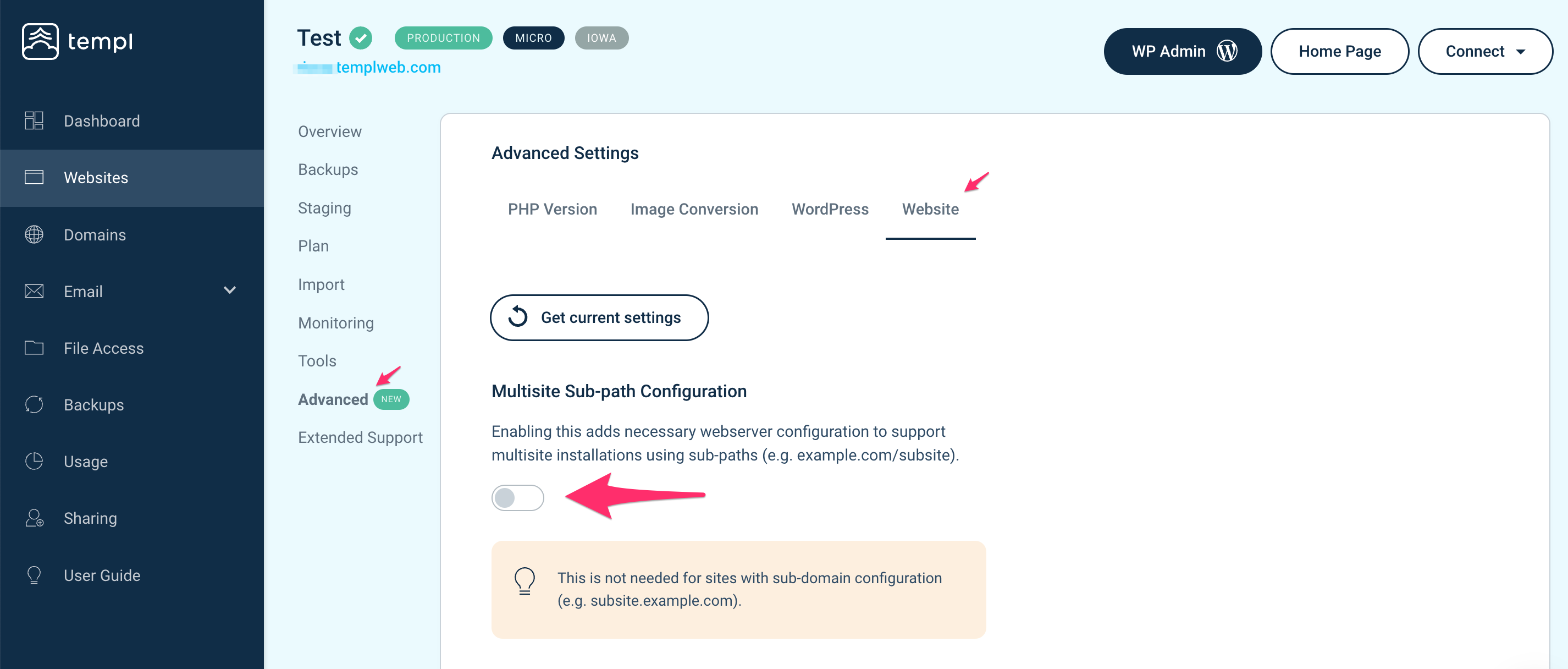
If your network uses subdirectories, activate the multisite toggle in the Templ Panel. Open the website in the Templ Panel, go to Website → Advanced → Site Options, and activate multisite.
Domain-based install
If each site on your network has its own domain - a subdomain like blog1.site.com or a separate domain like anothersite.com - add every one of them in the Templ Panel domain list, with the correct name server setting (subdomains covers both cases).
Then contact support with the domains and the website they belong to. Domains on a multisite need an extra step on our side, so Templ staff attach them as additional domains and configure them for the network.