Accounts for clients
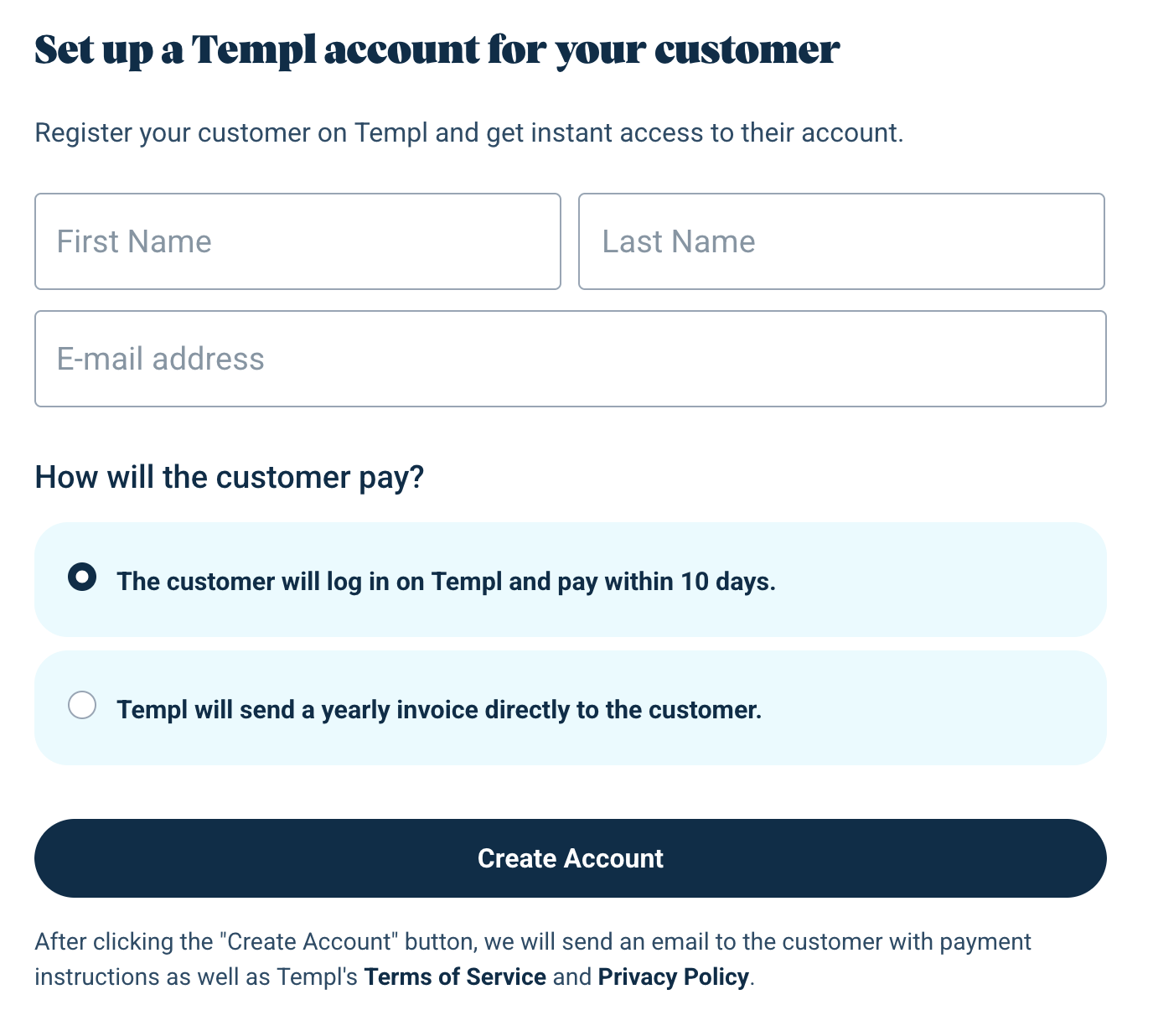
As an agency or freelancer, you can create Templ accounts for your clients in My Account and get immediate access through automatic account sharing. The client's billing country determines their payment method and initial account language.
Create a client's account
- Open the client registration form in My Account.
- Enter the client's first name, last name, and email address. All three are required.
- Set Customer's billing country to the client's country. It defaults to your own billing country if that country is available in the list; otherwise, you must select one.
- For clients in Sweden, enter their company name, address, postal code, and city. These fields are required. To fill them automatically from Bolagsverket's company database, enter the client's organization number and click Retrieve Company Information. The organization number is optional because you can fill in the company details manually instead.
- Click Create Account. The client receives an email with payment instructions and Templ's terms and privacy policy.
Payment and account language
Payment is selected automatically from the client's billing country, regardless of your agency's country:
- Sweden: Templ will send a yearly invoice directly to the customer. Annual invoice payment is required for accounts created through this form. The self-payment option remains visible but disabled, with an explanation. The client does not need to log in or add a payment card to pay the invoice.
- Other countries: The customer will log in on Templ and pay within 10 days. The client starts with a free 10-day trial and must log in to arrange payment within that period. Invoice payment is not available through this form.
The initial account language is Swedish for clients in Sweden and English for clients in other countries.
Access the client's account and create a website
Account sharing is set up automatically when you create an account for a client. No separate sharing invitation or client login is needed.
- Open the Templ Panel while logged in to your own account.
- Use the account switcher in the top left to select the client's account.
- Create a website in that account.
See accessing a shared account for a screenshot of the account switcher.
Differences from standard account creation
An account you create for your client as described above differs from accounts created via the standard procedure in the following ways:
- Account sharing is set up automatically, so you, as the creator of the account, get immediate access to the account.
- No requirement for HTTP Auth (password protection) even during the 10-day free trial period.
- You can send emails using Templ's SMTP service during the 10-day free trial as well as afterward.
- The account does not require email verification.
- The account is given a randomly generated password, which eliminates the need for risky password sharing with the client. The password is not known to anyone. When the client wants to log in themselves, they use the Forgot password option on the My Account login page with their email address to set their own password.