How caching works
This page covers Templ Cache: what it is, what gets cached, how to check the cache status, and how to purge or disable it.
Templ Cache
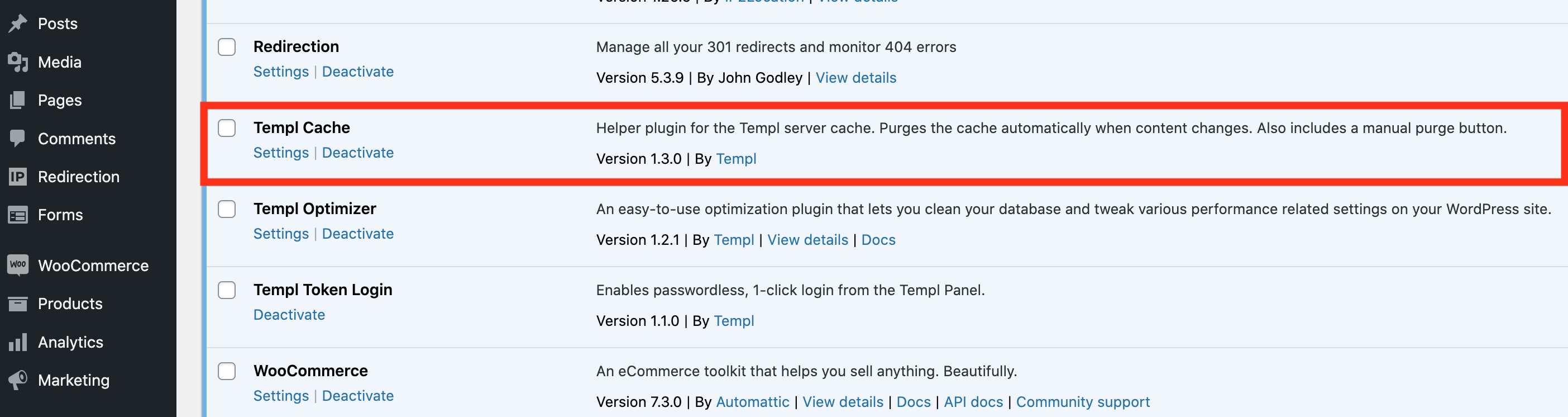
Templ Cache is Templ's built-in server-level page cache, built on the nginx fastcgi cache module and pre-installed and active on every website we host. A helper plugin in WP Admin clears the cache automatically as you edit content. If the plugin is missing, install it with the Install Templ plugins tool in our panel.
What is a page cache and how does it work?
Loading a WordPress page normally runs many PHP files and database queries. For pages that don't change constantly, that work is repeated on every visit. A page cache stores the generated HTML once and serves it to subsequent visitors, giving:
- Much faster page loads
- Scalability: more pages served with less server load
Templ Cache also caches /robots.txt when WordPress generates the response dynamically.
Check the cache status
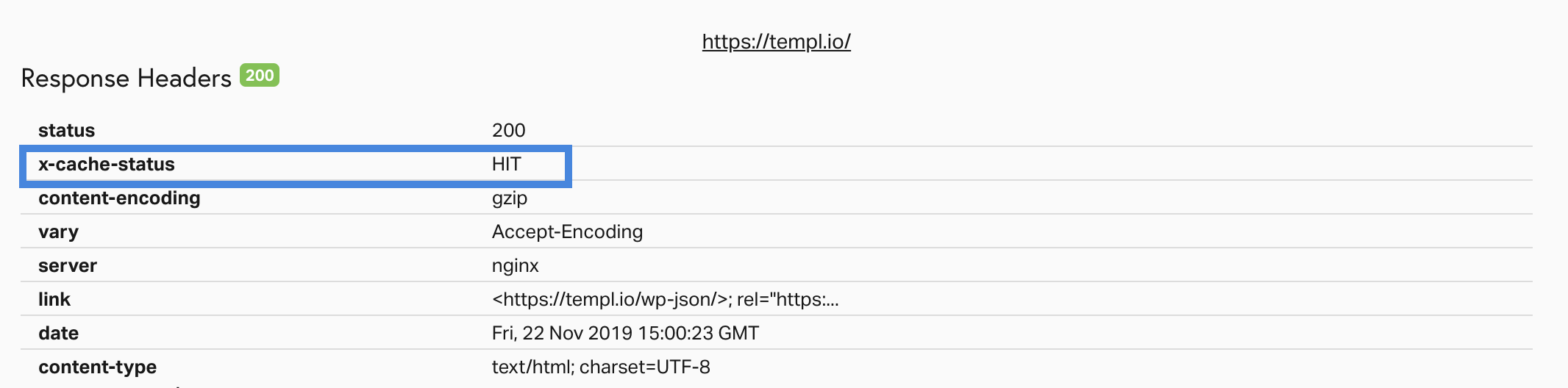
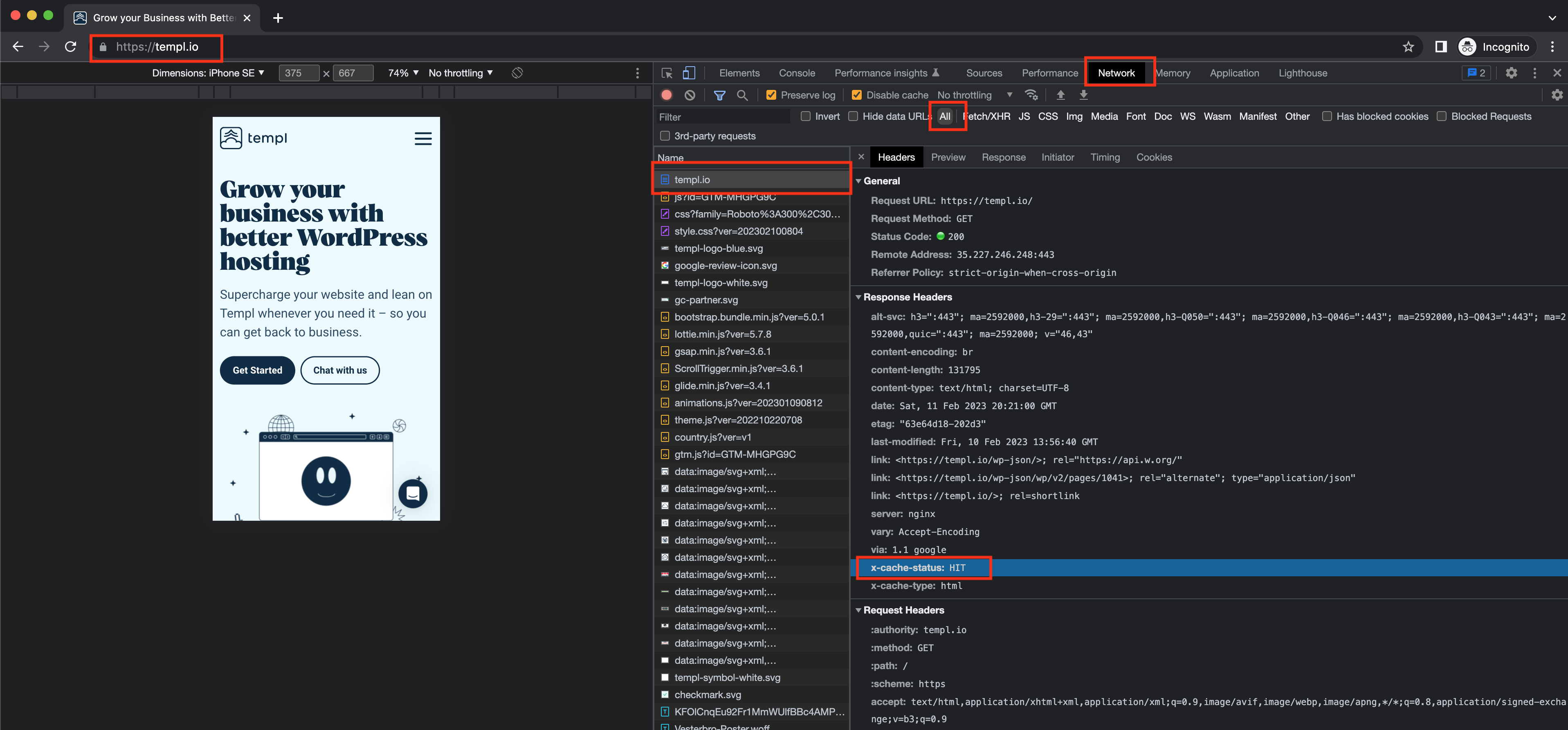
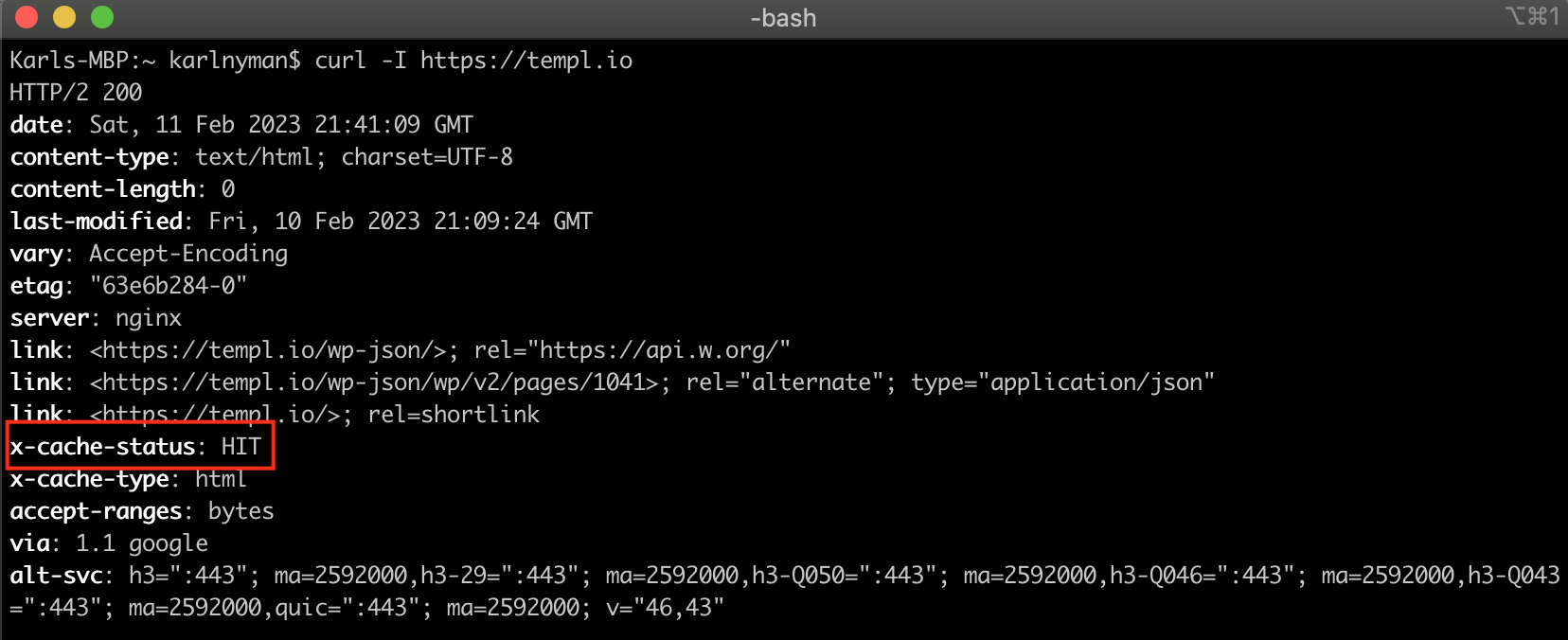
Templ adds an X-Cache-Status response header so you can see whether a page came from the cache. It has one of four values:
HIT- served from cache.MISS- cacheable, but not in the cache yet (or told not to be stored). The first request to a page is aMISS; the next is aHIT.BYPASS- caching is on, but this request skips it: it matched a rule such as a query string or a never-cached path, or you're logged in to WP Admin.disabled- caching is off entirely, typically because the Templ Cache helper plugin is not active on the site.
Check it with Pingdom:
In Chrome (right click → Inspect → Network tab → response headers for the domain):
Or from your terminal with curl -I https://templ.io:
Cache exclusions
A page is cached when its URL has no query string. Any query string normally makes the request skip the cache (BYPASS), so the page is served fresh.
The exception is these tracking parameters. They're ignored for caching, so a URL carrying only these is cached as if it had no query string:
gclid
fbclid
twclid
utm_term
utm_source
utm_campaign
utm_medium
utm_content
fb_action_ids
fb_action_types
fb_source
The following URL patterns are also exluded from cache:
/wp-admin/
xmlrpc.php
wp-.*.php
/login
/logout
/signin
/signup
/register/
/cart
/my-account/
/wc-api/
/checkout
/addons
/lost-password
(wp-.*.php is a pattern matching any PHP file whose name starts with wp-, such as wp-login.php and wp-cron.php.)
X-Cache-Status: BYPASS), so you always see live content while editing.Purge the cache
Purge from the Templ Cache settings, or from the shortcut at the top of the WP Dashboard:
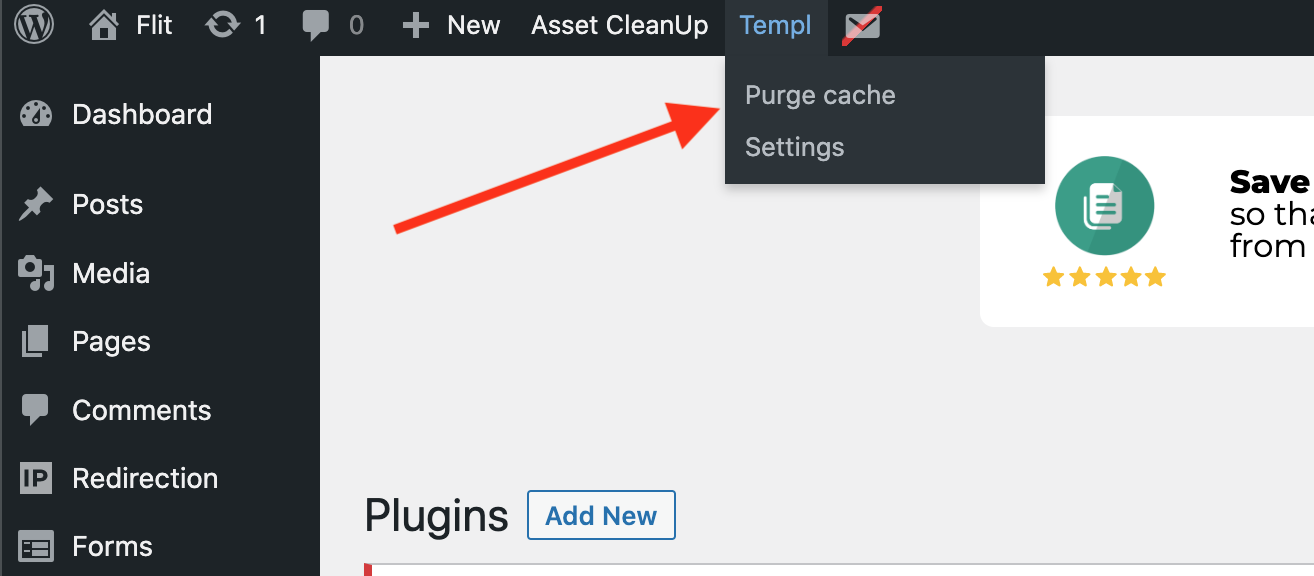
The cache is also automatically purged when you make edits in WP Admin.
To purge programmatically, for example from a deploy script, use the Templ CLI over SSH with templ cache purge, or run it remotely in one line.
Disable the page cache
Deactivate the helper plugin:
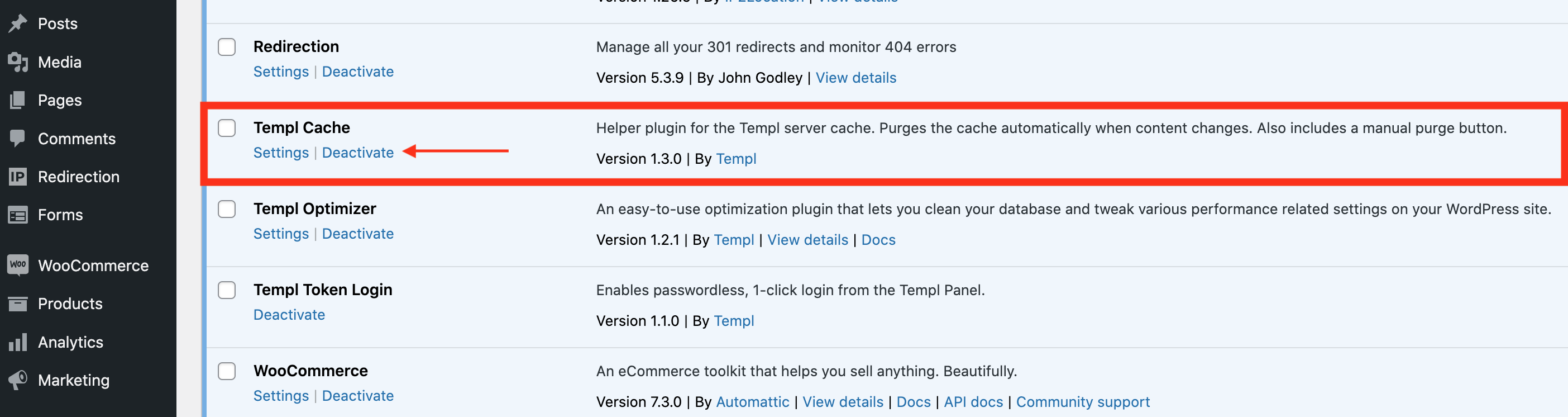
FAQ
Can I use the Templ cache along with another page cache plugin?
No. Only one page cache should be active at a time, whether that is WP Rocket, WP Fastest Cache, Autoptimize, or any other.
To use the advanced optimizations of a plugin like WP Rocket, disable the Templ Cache helper plugin first so it runs instead of Templ Cache.
Plugins like Templ Optimizer that only add non-cache optimizations (minification, combining CSS and JS) can run alongside Templ Cache.
What is the difference between other cache plugins and Templ's page cache?
Our cache works on a server level for maximum performance and efficiency; the plugin is merely a helper that clears the cache as you edit content.
Other cache plugins add extras like minification and combining CSS/JS files. Our page cache doesn't replicate these, since so many plugins already do them.
When is a page added to the cache?
The first time it's visited, or the first time it's visited after the cache has been purged.
How long is a page cached?
24 hours by default. To change it, contact support.
Troubleshooting
A page always returns X-Cache-Status: MISS
If a page never reaches HIT no matter how many times you load it, WordPress is almost always sending a response header that tells the cache not to store the page.
no-store in the Cache-Control header is the only directive that stops the Templ page cache (a response setting X-Accel-Expires: 0 is skipped the same way). It's often part of a longer value, but no-store alone is enough to force MISS on every request:
cache-control: no-store, no-cache, must-revalidate
Other directives that look like they'd disable caching are ignored by the Templ cache, and the page is still served as a HIT:
Cache-Control: no-cacheCache-Control: privateCache-Control: must-revalidateCache-Control: max-age=0- An
Expiresheader with a past date - A
Set-Cookieheader (the cookie is stripped from the cached response)
These still affect browser and CDN caching, but they won't stop a page from being stored in the Templ server cache. So when you see repeated MISS, look specifically for no-store.
MISS means the page is cacheable but wasn't in the cache (or was told not to be stored) - a header problem. BYPASS means caching is on but this request skips it - a query string, a never-cached path, or a logged-in WP Admin session. disabled means caching is off entirely, usually because the helper plugin isn't active.To diagnose, request the page and check the cache-control value alongside x-cache-status:
curl -I https://your-domain.com/the-page/
Common sources of a no-store header:
- PHP sessions. Calling
session_start()(directly or via a plugin/theme) makes PHP emitCache-Control: no-store, no-cache, must-revalidateon every affected page. - Membership, e-commerce, and security plugins, which often call WordPress's
nocache_headers()on pages they consider private.
Deactivate the suspected plugins one at a time and re-check cache-control until no-store disappears and the page returns HIT.